

HIPAA compliance software is any tool that helps a healthcare practice protect patient data and prove it meets the HIPAA Security Rule. Specifically, it covers the systems that store, send, or track that data, plus the controls that keep it safe. For a small US practice, the hard part is rarely buying a tool. Instead, it is knowing which features actually make software compliant, and which vendors only claim it.
This guide explains what HIPAA compliance software has to do, what to look for, and how Microsoft 365 fits. Furthermore, it shows where the platform stops and your configuration begins. Wintive maps that setup for small practices at a flat fee, so the tools you pay for and the safeguards you actually run finally match.
Not sure if your software is actually HIPAA compliant? Wintive checks your Microsoft 365 setup against the rules and tells you exactly what to fix, at a flat fee.
- We test the safeguards your tools are supposed to enforce.
- You get one report and a prioritized plan to close the gaps.
📅 Book a Free 30-Min Call | 💬 Chat on WhatsApp | See Our Plans →
Below, each section moves from the basics to the practical checks, in the order a busy owner needs them. Specifically, it starts with what the software is, then what makes it compliant, and finally how to confirm your own stack measures up.
🩺 What HIPAA compliance software is
In short: It is any tool that stores or handles patient data and supports the required safeguards, such as encryption, access control, and audit logging. It does not make you compliant on its own; how you configure and use it is what counts.
What HIPAA compliance software actually does
The term covers two kinds of tools. Specifically, there is software that holds patient data, such as email, file storage, and your records system. Furthermore, there is software that manages compliance itself, such as risk tracking and policy tools. As a result, most practices already run several pieces without labeling them that way.
What ties them together is the duty behind them. Specifically, any tool that can reach patient data must protect it and leave a trail. However, a vendor calling its product compliant is only a starting claim. By contrast, real compliance shows up in the settings you turn on and the proof you can produce.
🧩 What makes a tool meet the rule
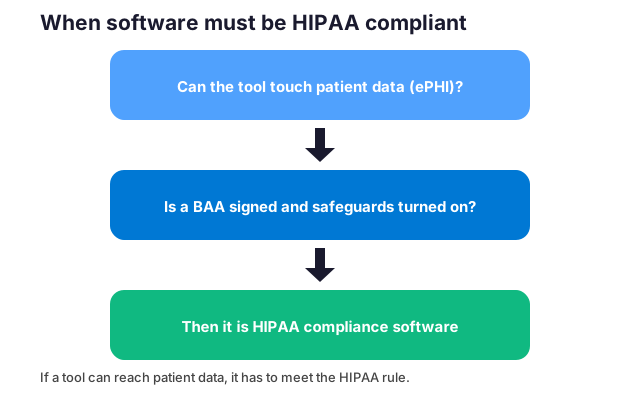
No tool is HIPAA certified by the government. Specifically, software is compliant only when it supports the required safeguards and a signed BAA backs it. The features below are what actually matter.
What HIPAA compliance software must include
Five capabilities do most of the work. Specifically, the tool must encrypt data at rest and in transit, control who can sign in, and log what they do. Furthermore, it needs a breach-notification path and a way to back up and restore data. As a result, a product missing any of these leaves a gap you carry.
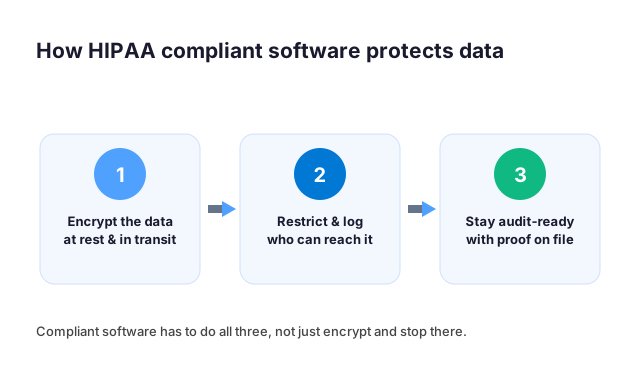
A signed agreement sits underneath all of it. Specifically, the vendor must sign a business associate agreement, or BAA, before it touches patient data. By contrast, encryption alone means little without that contract. Therefore, the safest tools pair strong settings with a BAA you keep on file.
What the Security Rule asks of your tools
The HIPAA Security Rule is the part of the law that actually governs software. It groups its requirements into three families of safeguards. As a result, any tool that touches electronic patient data must support all three. First, administrative safeguards cover the policies around access. Specifically, they decide who enters a system, how access is reviewed, and how it ends when someone leaves. Critically, physical safeguards cover where data lives and who can reach the hardware or cloud tenant that stores it. Technical safeguards are the ones buyers usually focus on. Notably, they include unique user IDs, automatic logoff, encryption in transit and at rest, and audit logging.
A practice does not get to pick and choose. The rule is written so that a weak control in one family undermines the others. For example, strong encryption means little if access reviews never happen. When you evaluate a platform, map each feature back to the safeguard it satisfies. If a vendor cannot tell you which requirement a feature addresses, that is a red flag. Therefore, it usually means the product was built to tick a box rather than to meet the rule.
✅ The must-have feature checklist
Use a short checklist before you trust any tool with patient data. Specifically, run each candidate through the same questions, whether it is new or already in use. Furthermore, keep your answers on file, because that record is exactly what an auditor asks to see.
- Will the vendor sign a BAA for the service you use?
- Is patient data encrypted at rest and in transit?
- Can you require multi-factor sign-in for every user?
- Does it log access and changes you can review?
- Can you control sharing and stop data leaving?
- Is the data stored and backed up in the US?
A no is not always a dealbreaker, but it is a flag. Specifically, a missing BAA or no encryption rules the tool out for patient data. However, a gap in logging may be fixable with a setting or a higher plan. Therefore, treat the checklist as a triage, not a pass-fail stamp.
Access controls, audit logs, and activity tracking
Notably, two technical safeguards do most of the heavy lifting in daily use: access control and audit logging. Access control means every person has a unique identity. Furthermore, permissions follow the minimum needed to do the job, and elevated rights are time-limited and reviewed. Shared logins break this immediately. As a result, a record tied to a generic shared account cannot tell you which staff member actually opened a chart.
| Capability | Why it matters for HIPAA |
|---|---|
| Encryption | Protects patient data at rest and in transit |
| Access control | Limits sign-in to the right people, with MFA |
| Audit logging | Records who viewed or changed data, and when |
| Breach notification | Alerts you quickly if data is exposed |
| Backup and recovery | Lets you restore data after loss or attack |
| Signed BAA | Puts the vendor on the hook in writing |
Furthermore, audit logging is the evidence layer. The rule expects you to record and examine activity in any system that holds patient data: who signed in, what they viewed, what they exported, and when. Good tooling keeps those logs tamper-resistant. Moreover, it retains them long enough to investigate an incident and lets you search them without a database expert. The same logs answer the question regulators and cyber-insurers ask after a breach. In short, can you show exactly which records were touched? Critically, a practice that can produce a clean access trail turns a frightening unknown into a contained, documented event.
Encryption, backup, and disaster recovery
Encryption is the control that limits the damage when a device or an account is lost. Data should be encrypted in transit, as it moves between a browser, a server, and a phone. It should also be encrypted at rest, where it is stored. When information is encrypted to current standards, a lost laptop rarely becomes a reportable breach. As a result, the data on it stays unreadable.
Backup and disaster recovery are easy to ignore until something fails. The rule treats availability as part of protection, so patient data has to survive hardware failure, ransomware, or accidental deletion. That means automatic backups, stored separately from the live system and tested on a schedule. In addition, you need a written plan for restoring operations within a defined window. The test matters as much as the backup. After all, a copy no one has ever restored is a hope rather than a safeguard. Finally, confirm that any platform you choose backs up the data it holds. It should also encrypt those backups and let you prove a restore works.
A HIPAA compliance software checklist you can run
Before committing to any platform, run it against a short, concrete list. Above all, the job of HIPAA compliance software is to make each of these provable rather than merely promised:
- Unique user IDs, role-based permissions, and automatic logoff
- Encryption of data in transit and at rest, to current standards
- Tamper-resistant audit logs you can search and export
- Automatic, tested backups with a documented recovery window
- A vendor willing to sign a Business Associate Agreement
- Access and activity reviews you can schedule and evidence
- Alerts for risky changes, new admin accounts, or unusual sign-ins
If a tool meets every line, document how. If it misses one, you have either found a gap to close or a reason to keep looking. A list like this also gives you a defensible record, so when an auditor or an insurer asks how you reached a decision, you can point to the criteria instead of relying on memory.
🔌 Is Microsoft 365 HIPAA compliance software?
Microsoft 365 can be HIPAA compliance software for a small practice, with one condition. Specifically, Microsoft signs a BAA for its eligible services, and for most business plans that agreement is already part of the terms you accept. Furthermore, the platform includes the encryption, access, and logging tools the rule expects. As a result, the building blocks are there from day one.
Where Microsoft signs and where you configure
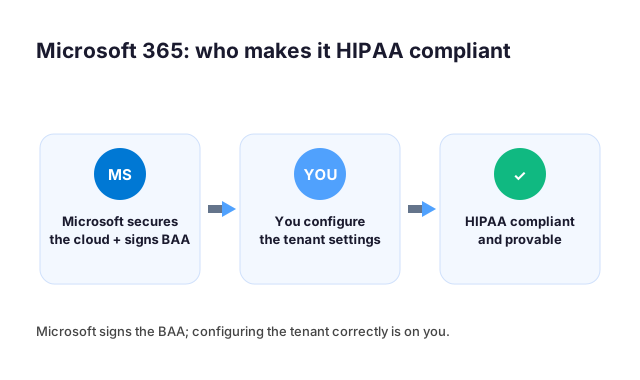
The responsibility splits in two. Specifically, Microsoft secures the cloud platform and signs the BAA. By contrast, you own every setting inside your own tenant. Furthermore, no provider turns on your safeguards by default.
That split is where practices slip. Specifically, the BAA covers the platform, while your configuration covers the practice. However, many owners stop at the signature and never finish the setup. As a result, an unconfigured tenant can stay non-compliant even with the agreement in place. Therefore, the signature and the settings have to match.
🛠️ Configuring Microsoft 365 the right way

Turning the platform into real protection takes a handful of settings. Specifically, you enforce multi-factor sign-in, encrypt outbound email, and limit who can reach patient data. Furthermore, you switch on audit logging and data-loss rules so nothing leaves quietly. As a result, the tenant starts to match what the BAA already promised.
These controls are also the ones most often left half-done. Specifically, the second login lock and outbound encryption are the usual gaps. However, each is a setting, not a new purchase, on the right plan. Therefore, the work is mostly configuration, not extra cost.
Across 60+ tenants, we see the same short list every time. Specifically, MFA, encryption, logging, and access limits cover most of the rule for a small practice. Notably, getting those four right is what separates a tool that is HIPAA compliance software in name from one that is in practice.
🔍 How to choose HIPAA compliance software
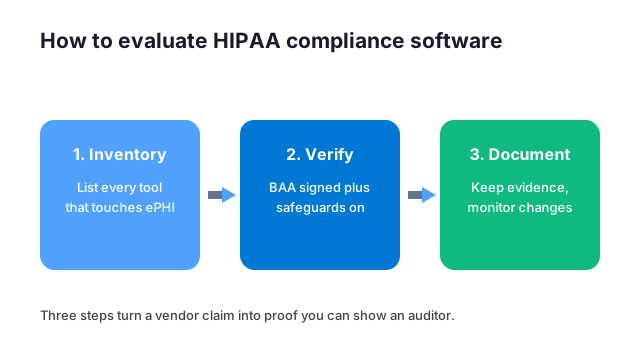
When you weigh options, two things matter. First, know which Microsoft license carries which control: Microsoft 365 Business Premium covers the core stack, Entra ID P1 adds conditional access and MFA, Microsoft Purview handles data loss prevention, and Microsoft Defender brings threat protection. Second, know what you are not buying. Point tools such as Okta for identity, Duo for MFA, or JAMF for devices each solve one slice, while Microsoft 365 bundles them under a single business associate agreement.
Choosing well comes down to evidence, not marketing. Specifically, compare each tool against the same criteria, and ask for proof rather than a compliance logo. Furthermore, the table below sorts a compliant tool from a risky one at a glance.
Free vs paid HIPAA compliance software
Free tools can be fine, with limits. Specifically, a free product still needs a BAA and the same safeguards as a paid one. However, many free tiers will not sign a BAA, which rules them out for patient data. Therefore, free is acceptable only when the agreement and the settings hold up.
🧰 Types of HIPAA compliance software (and where Microsoft 365 fits)
HIPAA compliance software is not one product category. Notably, the phrase covers several very different kinds of tools. However, the right mix depends on how a practice already works, not on which vendor markets hardest. In short, the market splits into dedicated governance platforms, single-purpose point tools, and the secure configuration of the productivity suite a practice already runs. Most small medical practices end up combining the last two. In practice, they harden the platform that already holds their email, files, and identities. They then add a focused tool for any gap. Of course, knowing the categories keeps you from overpaying. Indeed, an expensive all-in-one is wasteful when a tighter configuration of what you already own meets the same requirements.
All-in-one GRC platforms versus point tools
Governance, risk, and compliance platforms aim to manage the whole program in one place. For example, names such as Vanta or Compliancy Group come up often. Specifically, they cover policies, training, risk assessments, vendor agreements, and evidence collection. Certainly, for a practice with no existing systems that wants a guided path, that breadth is appealing. The trade-off is cost and overlap, because you often pay for modules that duplicate controls already present in tools you own.
Point tools do one job well, whether that is secure email, encrypted file sharing, endpoint management, or training delivery. They are cheaper and easier to adopt, but someone still has to stitch them together and keep the evidence in order. The third path, securing a suite a practice already runs, sits between the two. Then the controls are built in, the cost is already sunk, and the work is configuration rather than procurement. In practice, there is no universally correct answer. Map your gaps first, then decide whether one platform, a handful of point tools, or a properly configured suite closes them most cheaply.
What HIPAA compliance software costs
Specifically, pricing for HIPAA compliance software ranges from nearly free to several thousand dollars a year. However, the headline number rarely tells the whole story. All-in-one governance platforms commonly run into the thousands annually, often priced per employee or per module, with onboarding fees on top. Point tools are cheaper individually but add up once a practice needs three or four of them. Free options exist, but they have limits. They usually cover one narrow function, or expect you to supply the expertise that paid tiers automate. Crucially, a free tool is unusable for protected data if its vendor will not sign a Business Associate Agreement.
Therefore, the more useful way to budget is by outcome rather than by sticker price. A practice that already pays for a business productivity suite has most of the technical controls included, so the real spend is the time to configure them correctly and to keep evidence current. Weigh any new subscription against what a tighter setup of what you already own would achieve first.
⚠️ Common gaps practices miss
Even careful practices repeat the same few mistakes. Specifically, they trust a compliance logo, skip the BAA, or never turn on the settings the tool offers. Furthermore, these gaps stay invisible until a breach or an audit puts them in the open.
| What to check | Compliant tool | Risky tool |
|---|---|---|
| Signs a BAA | Yes, for your service | No, or only on request |
| Encryption | At rest and in transit | Unclear or partial |
| Access control | MFA and roles | Shared logins |
| Audit logs | Reviewable and retained | None you can see |
| Data location | US, with backups | Unknown region |
The most overlooked gap is the unconfigured tool. Specifically, the software supports the safeguards, but no one switched them on. By contrast, a quick review catches this in minutes. As a result, a short annual check prevents the most common real-world finding.
🔁 Risk assessments and ongoing monitoring
Buying tools is the visible part of compliance, but proving they keep working is the part that actually protects a practice. Two activities turn a one-time setup into a defensible program: a documented risk assessment that finds where patient data is exposed, and continuous monitoring that catches when something drifts out of place. Regulators treat both as expectations, not nice-to-haves. For instance, a practice that set everything up correctly a year ago can still fall behind. It is exposed the moment a setting changes or a new account appears. Finally, the next two sections cover what each looks like in practice.
The risk assessment and the risk register
Indeed, a risk assessment is the foundation the entire Security Rule is built on. Yet it is the single most common thing small practices skip. In principle the exercise is straightforward. First, inventory everywhere electronic patient data is created, received, stored, or transmitted. Then identify the threats to each location. Finally, judge how likely and damaging each one is, and record what you do about it. What comes out is a risk register. Specifically, it lists every exposure, ranked by severity, each with an owner and a remediation plan.
The register matters because it converts vague worry into a prioritized queue. Instead of trying to fix everything at once, a practice works the highest risks first and can show, on demand, that decisions were deliberate. Some platforms include a built-in risk register and walk you through the assessment, while others leave it to you. However, the assessment is not a one-time form. Revisit it whenever you add a system or change a workflow, and at least once a year. As risks are closed or new ones appear, update the register.
Monitoring and tracking that never stops
Configuration drifts. For example, staff join and leave, new apps get connected, and an admin flips a setting to fix an urgent problem and forgets to revert it. Ongoing monitoring is what catches that drift before it becomes an incident. In practice it means watching for the events that matter. Examples include new administrator accounts, disabled security features, unusual sign-in locations, or large data exports. Alerts then go to someone who will act on them.
Similarly, tracking is the companion discipline: keeping a current record of which controls are in place, when they were last verified, and what evidence supports each one. When that record stays live, an audit or an insurance questionnaire becomes a lookup rather than a fire drill. The goal is not a wall of dashboards nobody reads, but a small set of meaningful signals and a habit of reviewing them. In the end, a practice that monitors continuously and tracks its evidence turns compliance from an annual panic into a quiet, ongoing routine.
🤝 Where a tenant audit fits
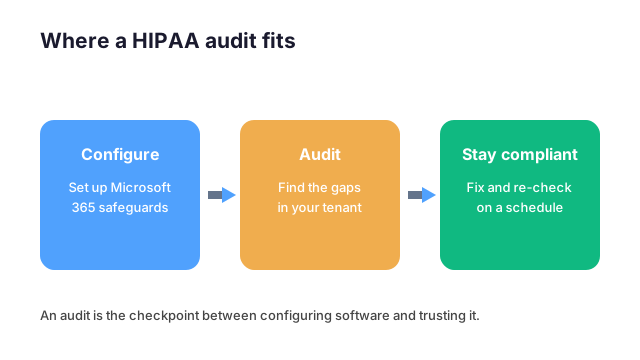
Software is one layer; proof is another. Specifically, an audit confirms your tools are configured the way the rule expects, and that every vendor BAA is in place. Furthermore, it turns scattered settings into one report you can show. As a result, the audit is how you know the software is working, not just installed.
This is where a flat-fee review pays off. Specifically, Wintive maps your Microsoft 365 against the HIPAA Security Rule and checks each agreement, with a predictable cost and a total cost of ownership, or TCO, that is easy to defend. Notably, you get a prioritized plan instead of a vague pass-fail.
📚 More for healthcare practices

The guides below cover the layers around HIPAA compliance software on Microsoft 365. They span the full compliance picture, secure email, the agreements behind your vendors, and an outside security review. — from email security and managed IT to the wider security program that keeps a small practice covered
Related Wintive guides
🔍 Want to know if your software is actually configured for HIPAA?
The M365 Master Audit delivers a written report. Specifically, it maps your Microsoft 365 configuration against the HIPAA Security Rule and confirms each vendor agreement is in place. That means the second login lock, outbound encryption, data-loss rules, mailbox access, and audit logging. You also get a prioritized plan to close every gap, flat $1,500, with no hidden add-ons.
❓ Frequently Asked Questions
It is any tool that handles electronic protected health information and supports the HIPAA Security Rule: encryption, access controls, audit logging, and a signed business associate agreement. Most practices already own a capable platform in Microsoft 365 and only need it configured and documented.
Microsoft 365 can be HIPAA compliant. Microsoft secures the platform and signs a business associate agreement, but the tenant is not compliant by default. You still switch on encryption, multi-factor authentication, audit logging, and data loss prevention, then keep evidence that they stay on.
No single free tool makes a practice HIPAA compliant on its own. Some encryption and logging features come inside plans you already pay for, but a signed BAA and correct configuration are what count. Treat any vendor promising instant free compliance with caution.
Yes. Any vendor that creates, receives, stores, or transmits protected health information for you must sign a business associate agreement before you send real patient data through it. No BAA means the tool is not compliant software, whatever the marketing says.
You check rather than assume. A read-only audit of your Microsoft 365 tenant shows which safeguards are actually on, where the gaps are, and what to fix, so you can prove the setup instead of hoping it holds.
Your next step
In practice, the fastest start is one audit that checks every vendor agreement and maps your Microsoft 365 to the rules. Finally, you close the gaps it finds and keep the proof for your next review.