

A grant report is due, and the donor database will not open. Meanwhile, a ransom note sits where your records used to be, and your team cannot send a single receipt. For a nonprofit, that is not just an IT problem. Specifically, it is a stalled mission, exposed donor data, and a board asking how it happened. Managed IT services for nonprofits exist so that day never comes, and so your mission, your donors, and your funding stay protected without a director ever learning the technology underneath.
This guide is written for the people who carry that risk. That means the executive director, the operations lead, and the board member who signs off. In plain terms, it answers what keeps a nonprofit up at night. What does one breach or one lost week really cost? Why are small nonprofits targeted on purpose? And how do you get enterprise-grade security on a charity budget?
🤝 Want your mission and donor data secure without hiring a tech team?
Wintive runs Microsoft 365 for small US nonprofits end to end. Specifically, we set up your nonprofit grant, protect donor data, secure every device, automate backups, and document the controls your funders expect. It is a flat monthly rate, with no long contract and no setup fee.
📅 Book a Free 30-Min Call | 💬 Chat on WhatsApp | See Our Plans →
🎯 The Three Risks Every Nonprofit Faces in 2026
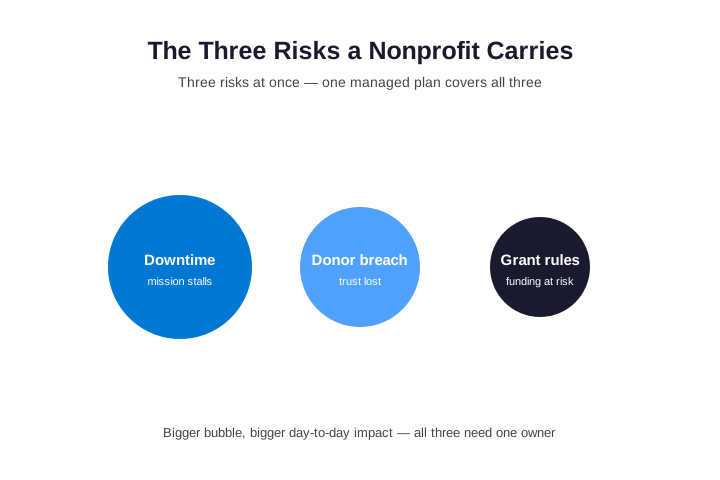
In short, a small nonprofit carries three risks at once. First, downtime: a ransomware hit can freeze your database and email for days, and meanwhile the mission stalls. Second, a breach of donor data: names, gifts, and payment details are valuable, so attackers target nonprofits on purpose. Third, a compliance or trust failure: funders demand proof of controls, and one breach can erode the donor trust you depend on. Managed IT services for nonprofits cover all three, because the same controls that stop downtime also protect donors and satisfy your grants.
Where the real exposure actually sits
When a director reviews the real exposure, three things stand out. First, downtime is the risk you feel at once. As a result, a frozen database means missed receipts, stalled programs, and staff who cannot work. Second, a breach is the risk that follows you. For example, once donor data leaks, you owe notifications, and the trust you spent years building can vanish overnight. Third, the compliance risk sits underneath both, because funders increasingly expect you to have prevented the first two.
What managed IT services for nonprofits remove first
Therefore, the table below maps the work to the risk it removes. Notably, it also shows where Microsoft 365 already does the heavy lifting. Read it as the outcomes a director should expect from a serious provider.
| The risk (plain English) | What a managed plan handles for you | Where Microsoft 365 helps |
|---|---|---|
| A frozen mission with staff unable to work | Round-the-clock monitoring and a written recovery plan | Cloud files and email reachable from anywhere |
| A donor record opened by the wrong person | Access set by role and reviewed regularly | Permissions and sharing limits built into the suite |
| A stolen password used to read donor data | A second login step on every account | Multi-factor login native to every license |
| Ransomware locking your donor database | Encryption plus automatic off-site backups | Files versioned and recoverable in the cloud |
| A diverted grant or vendor payment | Email protection and a verification habit | Anti-phishing and impersonation defenses in Outlook |
| A funder asking what you protect | Safeguards logged, kept, and ready to show | Audit logs retained across the tenant |
Notice the pattern in that table. Specifically, every risk on the left is a mission outcome, not a technical task. Moreover, every item in the middle is something you should never do yourself. As a result, that is the whole point of handing it over. You keep the responsibility, however the daily work moves to a team that does this for a living.
🛡️ Why Small Nonprofits Are an Easy Target
To begin with, many directors assume criminals chase only big companies. However, in reality a small nonprofit is an easy and valuable target. Specifically, it holds donor names, gifts, and payment details, yet it rarely has anyone watching security. Furthermore, attackers know that a charity often runs on goodwill and a tiny budget. As a result, the mix of valuable data and light defense is exactly why nonprofits are targeted on purpose.
How managed IT services for nonprofits close the gap
Consider the most common entry point. Notably, the breach rarely starts with a genius hacker. Instead, it starts with one volunteer or staff member clicking a convincing email. As a result, the attacker either diverts a payment or reads donor records that were never locked down. Furthermore, because nobody watches the accounts day to day, that access can sit open for weeks. Therefore, good nonprofit IT support closes this gap before anyone finds it.
🎁 The Microsoft 365 Grant Most Nonprofits Miss
In fact, the single biggest win for a nonprofit is one most never claim in full. Specifically, Microsoft offers eligible nonprofits a grant of Microsoft 365 Business Premium, often free for the first set of users and discounted after that. Furthermore, that exact plan includes the enterprise-grade security a charity could rarely afford otherwise. As a result, a nonprofit can run the same protection as a large company, at a fraction of the cost. You can confirm your eligibility through Microsoft for Nonprofits or TechSoup.

How managed IT services for nonprofits turn the grant into protection
However, the grant alone changes nothing until the protections are switched on. Specifically, a fresh nonprofit tenant ships with most security features turned off. As a result, many charities hold premium licenses while running wide-open accounts. Therefore, a managed provider claims the grant, then configures the security that comes with it. For example, it turns on multi-factor login, encryption, and backups, then documents each one. So the value you were granted finally becomes the protection you actually have.
💡 What we see across the organizations we manage: A nonprofit often has the donated licenses but none of the security behind them. Specifically, we find no second login step, donor files shared far too widely, and a backup no one has ever tested. The grant was real, yet it protected nothing. Furthermore, because these gaps fail silently, they surface only when an attacker or a funder finds them. Closing that exact gap, turning donated licenses into controls that are actually on, is the core of what we deliver.
🧩 What Managed IT Services for Nonprofits Actually Cover
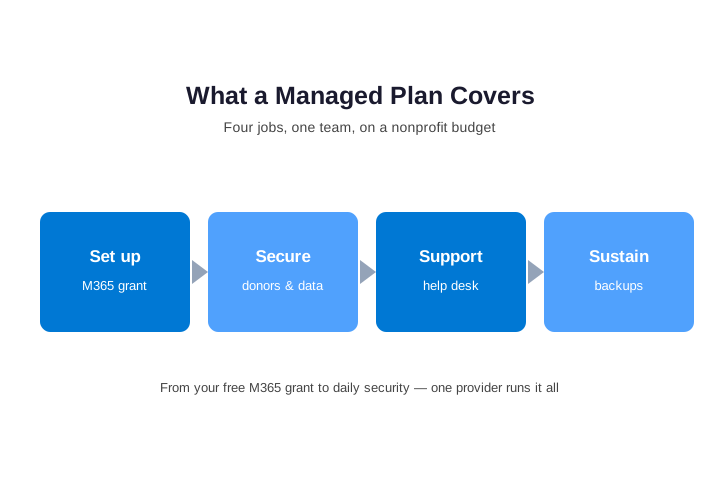
In practice, a managed plan bundles every routine technology task into one service, priced per user. Specifically, it covers a help desk your staff and volunteers can call when something breaks. Additionally, it adds security that runs in the background, automatic backups, and the steady upkeep that keeps everything current. As a result, instead of leaning on a board member’s nephew, you have one team for the whole picture, the way managed IT support services work for any small organization.
Where nonprofit IT support goes beyond fixing laptops
Furthermore, good nonprofit IT services do more than fix laptops. Notably, they keep your donor CRM, such as Blackbaud Raiser’s Edge, Salesforce Nonprofit Cloud, Bloomerang, or DonorPerfect, running and connected to Microsoft 365. Additionally, they keep QuickBooks and your grant records working for staff and the board together. In practice, they also handle the quiet work that prevents disasters. Specifically, they patch software the day a fix ships, watch for warning signs around the clock, and test the backups, because a restore must actually work.
🔒 Protecting Donor Data, Payments, and Trust
For a nonprofit, donor trust is the whole business, so protecting it is not optional. Specifically, the moment you take donations online, you handle payment data, which brings PCI obligations. Furthermore, donors share personal details on the expectation that you will guard them. As a result, a single leak does more than trigger notifications; it can cut the giving you rely on. Therefore, a managed provider locks down who can see donor records, encrypts the data, and keeps proof that the controls exist. Layered managed security services sit behind all of it.
🔍 The number that matters: Donors give to organizations they trust, so a single public breach can cut giving for years. Specifically, the cost is rarely the cleanup; it is the lapsed donors who quietly stop. As a result, protecting donor data is not an IT line item. It is donor retention, and it belongs on the board agenda.
Above all, this is a board issue, not only an IT one. In fact, a board has a duty of care, and protecting donor data now sits squarely inside it. As a result, the directors who sleep at night are the ones who can show, on paper, that the safeguards are switched on.
🔁 Volunteers, Turnover, and Onboarding
For most nonprofits, people come and go constantly, and that churn is a quiet risk. Specifically, volunteers, seasonal staff, and board members all need access, then they all leave. Furthermore, when offboarding is done by hand, it gets rushed or forgotten, and forgotten access is exactly how data walks out. As a result, a managed provider makes both routine. In practice, it grants new people only what their role needs, then it closes accounts cleanly the day someone leaves.
📑 The Funder Security Questionnaire, and How to Pass It
More and more, funders ask about security before they give. Specifically, a foundation or a government grant now sends a questionnaire about how you protect data. For example, it asks whether you use multi-factor login, whether you back up, and who can see donor records. As a result, a weak answer can cost the grant, even when the program is strong. In practice, many nonprofits scramble at the last minute, because nobody owns the answers.
| What a funder asks | What a managed plan lets you show |
|---|---|
| Do you require multi-factor login? | Yes, on every account, with a record |
| Are backups automatic and tested? | Yes, restored on a set schedule |
| Who can see sensitive donor data? | Only the right roles, reviewed regularly |
| Do you have a written incident plan? | Yes, documented and kept current |
How managed IT services for nonprofits keep you grant-ready
A managed provider turns those questions into controls that are already on. First, it switches on the safeguards a funder expects. Then it documents each one, so the evidence is ready. As a result, the questionnaire takes hours, not weeks. Moreover, the same record answers your cyber-insurance renewal and your board. Therefore, security stops being a scramble and becomes a reason you win the grant. Above all, you can say yes with proof, instead of hoping nobody checks.
💡 What we see across the organizations we manage: The biggest leak is rarely a hacker. Instead, it is the volunteer or former staff account that no one ever closed. Specifically, that login keeps working long after the person leaves, and it still reaches donor data. As a result, the nonprofits that stay safe are the ones where offboarding is automatic, not a sticky note. That discipline is exactly what a managed provider installs.
🔐 Which Plan Your Organization Actually Needs
To begin with, not every nonprofit needs the same level of protection. Specifically, a small all-volunteer group and a funded agency handling client data carry different risk, so they need different tiers. As a result, a good provider matches the plan to how sensitive your data is and what your funders require. In practice, it does not sell everyone the heaviest package.
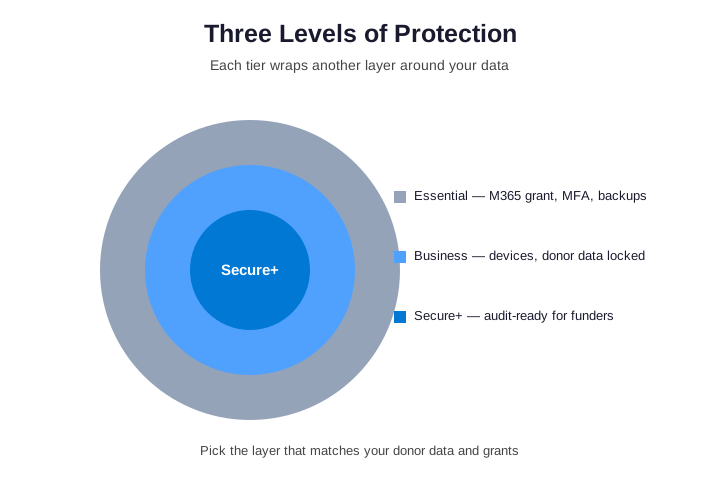
Importantly, the difference between tiers is rarely the software you own. Instead, it is the configuration and the oversight on top. For example, two nonprofits can hold the same donated licenses, yet one is locked down and monitored while the other runs on defaults. As a result, the plan you choose is really a decision about oversight, not about which logo sits on the invoice.
💼 Hire In-House or Outsource? The Real Math
To begin with, most small nonprofits cannot justify a full-time IT hire. Specifically, one salary is hard to defend to a board and to funders who want money spent on the mission. Furthermore, that single hire becomes a single point of failure the moment they leave. As a result, managed IT services for nonprofits give you a whole team for less than one salary. Moreover, the spend is easier to explain to a board.
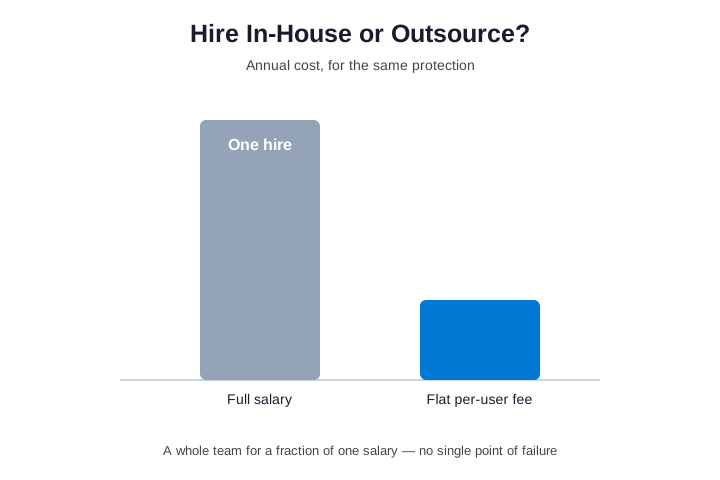
Moreover, there is a simple scale advantage. Specifically, a managed provider spreads the cost of senior expertise across many organizations, so each one pays a fraction of going it alone. Additionally, the model works alongside an existing office manager. In that case, co-managed support adds monitoring, security, and after-hours cover, while your person keeps the day-to-day. As a result, your nonprofit is never exposed because one individual happened to move on.
💰 What It Costs: Predictable, Per-User Pricing
In practice, most providers price nonprofit IT support per user, per month. As a result, the cost scales with your team and stays predictable. Specifically, you pay a flat rate for each person you cover. That rate includes the help desk, the security, the backups, and the monitoring. Furthermore, because the grant covers much of the licensing, the all-in cost is often surprisingly small. Moreover, it never spikes with a surprise project bill.
| What you are buying | The break-fix way | The managed way |
|---|---|---|
| How you pay | By the hour, when something is already broken | A flat fee per user, every month |
| When help arrives | After the report is already late | Before most problems reach you |
| Security and backups | Often skipped to save money | Included and tested as standard |
| Your exposure | One breach can cost donor trust | Predictable cost, contained risk |
What flat-rate nonprofit IT support really buys you
Crucially, flat-rate pricing matters for more than budgeting. Specifically, the fee does not rise when you call. So your team asks for help early, and small issues get fixed before they grow. In practice, it also helps to compare the fee to the alternative, not to zero. For example, a single breach can cost the donor trust that took years to build. Similarly, one diverted grant payment can dwarf a year of fees. As a result, the real question is whether your mission can absorb the loss a managed plan quietly prevents.
⚠️ The Mistakes That Quietly Sink Small Nonprofits
In practice, most IT failures at small nonprofits come from a few habits. First, the organization claims the M365 grant but never switches on the security inside it. Second, one volunteer holds every password, so the group is one departure away from chaos. Third, accounts for people who left are never closed, which is exactly how donor data walks out. Additionally, backups are set once and never tested, so the first real restore is also the first failed restore. Notably, knowing these in advance is half the battle.
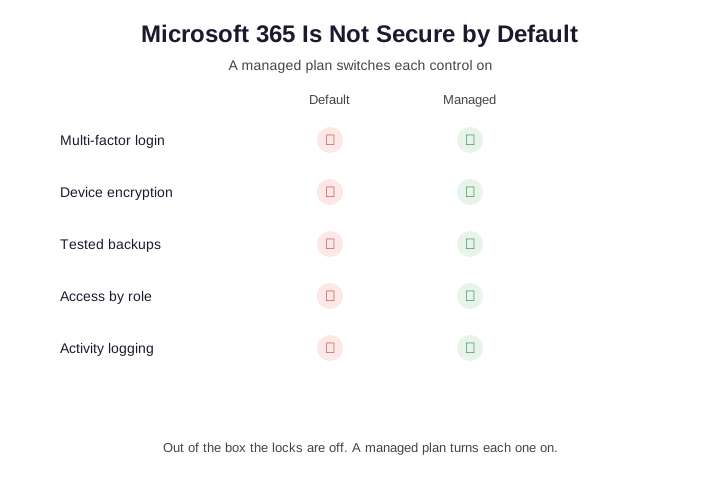
Furthermore, each gap above is cheap to close once someone owns it. As a result, a good provider switches every control on, then proves it with a record. In practice, that is the difference between a nonprofit that passes a funder review and one that scrambles. Specifically, the record also keeps your compliance checklist ready for the next grant application.
✅ The Director’s Checklist Before Choosing a Provider
Before you sign with any provider, a short checklist tells you whether they truly understand nonprofits. First, ask whether they will claim and configure your Microsoft 365 grant. The savings are real, and the setup is where the value hides. Second, ask how they handle a departing volunteer, since closing access promptly removes one of the most common leaks. Third, ask whether they test your backups on a schedule, not just set them up once. Finally, ask whether they know your donor CRM, as a provider who has never touched it will slow every appeal down.

Above all, the right questions up front protect you later. As a result, a provider who answers them clearly has run an organization like yours before. However, a provider who deflects is telling you exactly how the partnership will feel when a grant report is due.
🧮 Switching Providers: What the First Quarter Looks Like
How managed IT services for nonprofits handle the first 90 days
Switching providers feels risky, so most teams put it off for months. In practice, a clean onboarding removes that fear quickly. First, the new team audits your network, your donor database, and every user account. Then they document what they find and flag the gaps that put donor data at risk. Within two weeks, the team closes the urgent holes. As a result, you see real value before the first invoice clears. From that first week, managed IT services for nonprofits earn trust by fixing what hurts most.
Good managed IT services for nonprofits never rip everything out on day one. Instead, they stabilize the environment first and modernize on a schedule you approve. Meanwhile, your staff and volunteers keep serving without interruption. Because downtime costs more than any upgrade, they stage the rollout around your campaign calendar. Therefore, the transition stays almost invisible to the programs. Your people notice faster logins, not a disruptive overhaul.
What you should measure after the move
Numbers tell you whether the switch worked, so track them from week one. For example, watch how fast tickets get resolved and how often work stalls. Still, raw speed is not the whole story. The deeper win is fewer incidents over time, because proactive monitoring catches faults early. Managed IT services for nonprofits should also shrink your grant reporting, since the system gathers the evidence automatically. In short, the right partner turns compliance into a byproduct rather than a fire drill.
Finally, review the relationship every quarter, not once a year. A strong provider brings a roadmap, not just a bill. Together you rank the next projects by risk and payback. That way, managed IT services for nonprofits stay aligned with where the organization is heading. Ultimately, the goal is steady uptime and a network you can stop worrying about. When that happens, the technology fades and the mission takes over again.
None of this requires a giant budget. Rather, it requires a partner who treats your uptime as their own. Once you set the cadence, each quarter gets easier than the last. And because the gains compound, managed IT services for nonprofits turn that stability into more hours for the cause.
📚 More for US Nonprofits
🤝 Ready to protect your mission and stop worrying about IT?
Wintive runs your Microsoft 365 the way a nonprofit needs it. Specifically, your grant is claimed and configured, donor data is locked down, backups are automatic, and your safeguards are switched on and documented. It is one flat monthly fee per user. No long contract. No surprise bills.
❓ Managed IT Services for Nonprofits: Frequently Asked Questions
They are an ongoing service where one provider runs your organization technology for a flat monthly fee. That covers a help desk, security, backups, and updates, plus the donor CRM and email your mission depends on. The goal is to prevent problems and protect donor trust, rather than only reacting when something breaks.
A typical plan includes help desk support, device monitoring, updates, and patching. It adds security controls such as multi-factor login and tested backups. It also claims and configures your Microsoft 365 grant. Most providers price it per user per month, so the cost stays predictable as people come and go.
They cost a flat amount per user, per month. So the price scales with your team and stays predictable. Because the Microsoft grant covers much of the licensing, the all-in cost is often small. Across a year, that flat fee almost always beats the cost of one breach or one lost week.
Yes. A good provider confirms your eligibility, claims the grant of Microsoft 365 Business Premium, and then configures the security that comes with it. As a result, you get enterprise-grade protection at a fraction of the usual cost, switched on and documented.
More questions about managed IT services for nonprofits
Yes. A good provider keeps your donor CRM, such as Blackbaud Raiser’s Edge, Salesforce Nonprofit Cloud, Bloomerang, or DonorPerfect, running and connected to Microsoft 365. As a result, your data, email, and giving tools work as one system.
A managed provider limits who can open donor records, adds a second login step, encrypts the data, and keeps tested backups. It also documents each safeguard for your board and your funders. That is how a nonprofit meets its duty of care in practice, not just on paper.
They keep your systems patched, backed up, monitored, and secured. That closes the common causes of breaches and downtime. They also keep proof of those controls ready for funders and the board. The result is fewer incidents, less lost time, and donor trust you can defend.