

Your one IT person is drowning. Specifically, they patch laptops all morning, fight a server all afternoon, and still answer tickets at night. Meanwhile, nobody is watching security, the backups are untested, and there is no cover when they take a week off. For a growing business, that is a real risk hiding in plain sight. Co-managed IT services fix it without replacing anyone, because they add a full team alongside the person you already trust.
This guide is written for the people who feel that strain: the owner, the operations lead, and the IT manager who cannot do it all. In plain terms, it answers what co-managed really is. What does the split of work look like? When is it the right fit? And how does the cost compare to hiring more staff or outsourcing everything?
🤝 Want to back up your IT person without replacing them?
Wintive co-manages Microsoft 365 alongside your internal team. Specifically, we add round-the-clock monitoring, security depth, after-hours cover, and project muscle, while your person keeps the relationships and the day-to-day. It is a flat monthly rate, with no long contract and no setup fee.
📅 Book a Free 30-Min Call | 💬 Chat on WhatsApp | See Our Plans →
🤝 What Co-Managed IT Services Actually Mean
In short, co-managed IT services share the work between your internal team and an outside provider. First, your person keeps control, context, and the day-to-day relationships. Then the provider adds what one person cannot cover alone, such as round-the-clock monitoring, security depth, after-hours support, and big projects. As a result, you get the reach of a full IT department without losing the person who knows your business. Co-managed IT services are the middle path between doing everything in-house and outsourcing it all.
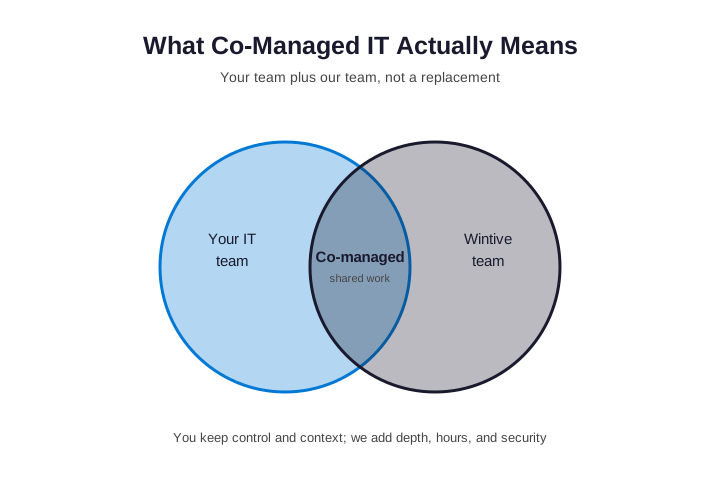
Notably, co-managed is not a halfway outsource. Instead, it is a true partnership. Specifically, your internal person stays in charge of priorities and the people they support. Furthermore, the provider plugs into the same tools, so nothing is duplicated. As a result, the business gets more coverage, and the IT person finally gets backup.
📍 When Co-Managed IT Services Are the Right Fit
To begin with, co-managed fits a specific moment. Specifically, it suits a firm that already has one IT person or a small team, but has outgrown what they can carry alone. For example, the signs are easy to spot. The single IT person is a single point of failure when they are sick or away. Furthermore, security and compliance need depth no generalist can provide. And projects keep stalling because nobody has time to run them.
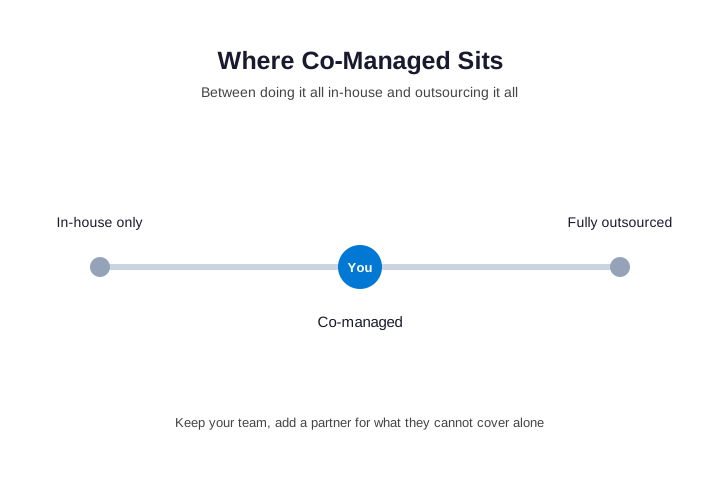
By contrast, full outsourcing fits a firm with no IT staff at all. Therefore, the question is not which model is best in general. Instead, it is which model fits where you are now. As a result, if you value the person you have but need more reach, co-managed is usually the answer.
🧩 Who Does What: The Responsibility Split
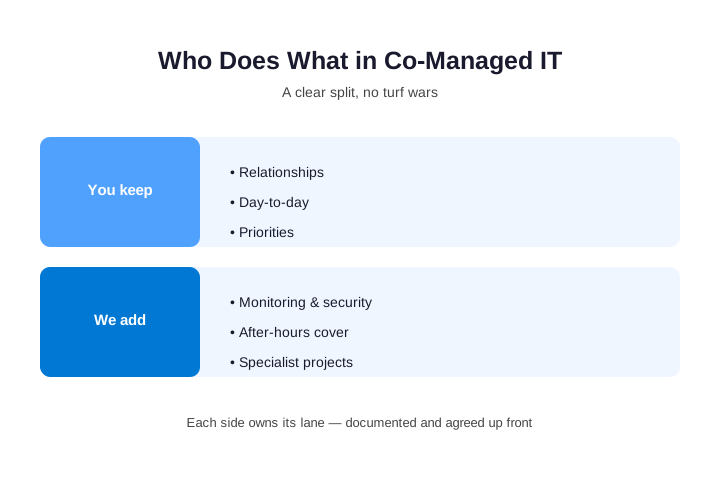
In practice, the whole model rests on a clear split of work. Specifically, the best partnerships write down who owns what before day one. As a result, there is no confusion and no turf war. For example, your team usually keeps the help desk relationships and the business priorities. Meanwhile, the provider takes the heavy, around-the-clock, and specialist work.
A sample co-managed IT services division of labor
| What your team usually keeps | What the provider usually adds |
|---|---|
| Day-to-day help desk and user relationships | Round-the-clock monitoring and alerting |
| Business priorities and budgets | Security depth and a written incident plan |
| Knowledge of your apps and people | After-hours and holiday cover |
| First call for quick fixes | Patching, backups, and big projects |
🛡️ The Gaps Co-Managed IT Services Fill
Furthermore, the value of co-managed is clearest in the gaps it closes. Specifically, one stretched person cannot watch the network at 2 a.m., and they cannot be a security specialist on top of everything else. Moreover, they cannot answer tickets while running a migration. As a result, those gaps are exactly where risk and downtime hide.
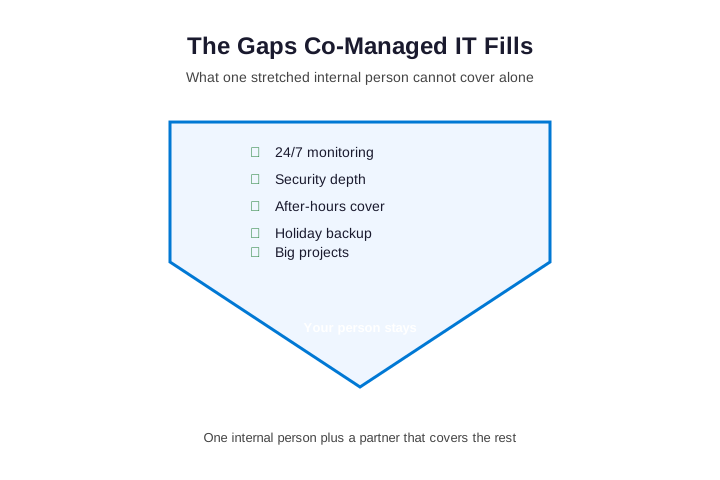
Where co-managed IT support pays for itself
In practice, the payoff shows up fast. First, monitoring catches a failing disk before it stops the team. Then security tools and a watching eye close the door attackers use. Additionally, the provider keeps the patches and backups current, because those are the boring tasks that get skipped. As a result, the firm runs steadier, and the internal person finally gets to do the work only they can do.
👥 Working With Your Internal IT, Not Around It
Above all, a good partner works with your person, not over them. Specifically, the fear of every IT manager is being replaced, so a real co-managed partner reframes the help as relief, not a threat. For example, the provider takes the night shifts and the grunt work, while your person keeps the trust they have earned. As a result, morale goes up, not down, because the pressure finally lifts.

Crucially, the relationship needs shared tools and clear handoffs. Therefore, a strong partner documents everything in systems your team can see. As a result, when a ticket moves between sides, nothing falls through the cracks. The same picture behind managed IT support services applies here, just shared between two teams.
🔧 How the Two Teams Work Together Day to Day
In practice, the two teams share one workflow, not two silos. Specifically, tickets flow into a single system that both sides can see. As a result, your person handles the quick local fixes, while the provider picks up the overflow and the after-hours queue. Furthermore, escalation is clear, because a ticket that needs depth moves to a specialist without anyone starting over. Then the notes and the history stay in one place. So nothing is lost when a problem changes hands.
Where co-managed IT services avoid the usual hand-off mess
Notably, the classic failure of outsourcing is the black-box hand-off. By contrast, co-managed keeps your person in the loop on everything. Specifically, they see the same tickets, the same alerts, and the same notes. As a result, they keep learning, and they stay in control of priorities. Moreover, the provider documents every fix in your systems, so knowledge builds up instead of walking out.
💡 What we see across the teams we co-manage: The internal person is rarely the problem; capacity is. Specifically, one capable person cannot patch every machine, watch the network overnight, and run a migration at once. Furthermore, the gaps fail quietly until an outage or a breach makes them loud. Filling exactly those gaps, without sidelining your person, is the core of what we deliver.
🧰 The Shared Tools That Make It Work
Furthermore, co-managed only works when both teams use the same tools. Specifically, the provider plugs into shared systems for tickets, monitoring, and documentation. As a result, there is one source of truth, not two competing ones. For example, a shared monitoring platform means both sides see the same alerts in real time. Then a shared documentation system means a fix is written once, where everyone can find it. So the tools are what prevent the duplicated, lost work that sinks weaker partnerships.
| Shared tool | What it does | Who uses it |
|---|---|---|
| Monitoring and alerting | Watches systems around the clock | Both teams, same view |
| Ticketing system | Tracks every request to closure | Both teams, one queue |
| Documentation | Stores how everything is set up | Both teams, you keep it |
| Security stack | Detects and contains threats | Provider runs, you see |
Crucially, you should never be locked out of these tools. Therefore, a good partner keeps everything in systems you can access and keep. As a result, if the relationship ever ends, your data and your history stay with you, not with the provider.
📈 What Co-Managed IT Services Mean for Your IT Person
Above all, co-managed is good news for the person you already have. Specifically, it lifts the grunt work and the late-night pages off their plate. As a result, they stop firefighting and start doing the work only they can do. Furthermore, they gain a bench of specialists to learn from, which grows their skills. So the role becomes more strategic, not less secure.
Notably, this matters for keeping good people. In fact, the fastest way to lose a solo IT person is to burn them out. By contrast, giving them backup keeps them engaged and keeps their knowledge in the building. As a result, co-managed protects your biggest IT asset, which is the person who understands your business.
🌙 24/7 Monitoring and Security Depth
For most firms, the biggest gap is the clock. Specifically, attacks and outages do not wait for business hours, yet one person has to sleep. As a result, a co-managed partner watches the systems around the clock and responds when something breaks at night. Furthermore, it brings security depth that a generalist cannot match, because defending a network is now a full-time specialty. Layered managed security services sit behind the whole setup, and a good partner follows baseline guidance from CISA.
🪜 How Much Help to Add
To begin with, co-managed is not all-or-nothing. Specifically, you can start small and add more as you grow. For example, some firms begin with overflow help desk and after-hours cover only. Then they add round-the-clock monitoring once they see the value. As a result, the partnership scales with your needs, instead of forcing a big leap on day one.
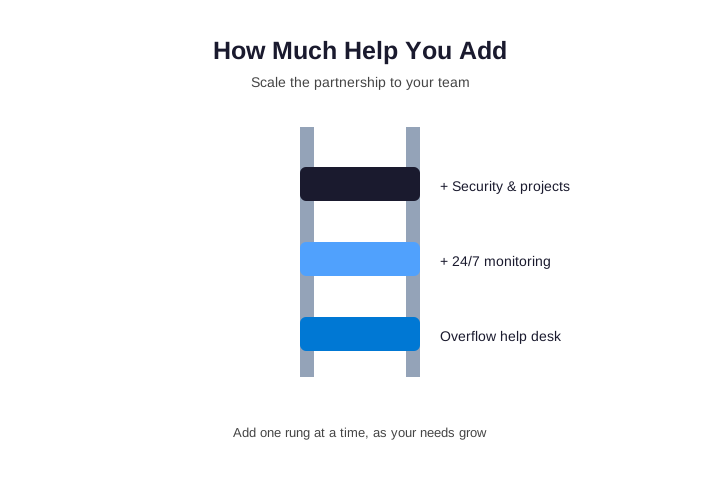
Importantly, this flexibility is what sets co-managed apart. Instead of a fixed package, you buy the exact reach you lack. As a result, the spend tracks the need, which makes it easy to justify to an owner or a board.
🌟 Three Moments Co-Managed IT Saves You
Consider three ordinary moments. First, your IT person finally takes a real vacation. Without backup, the whole office holds its breath. However, with co-managed the provider covers the queue, so the week passes quietly. Then, second, ransomware hits at 2 a.m. on a Saturday. One person cannot watch the network around the clock. By contrast, a co-managed partner is already watching, so the attack is caught and contained before Monday.
Third, you need a big migration, but the daily tickets never stop. As a result, the project stalls for months. However, with co-managed the provider runs the project while your person keeps the lights on. So it actually ships on time. In each case, the pattern is the same. Specifically, the gap is not skill; it is hours and reach. Therefore, co-managed fills exactly that gap, without replacing the person who knows your business.
💼 Co-Managed vs Fully Managed vs Hiring: The Real Math
To begin with, the honest comparison is three ways, not two. Specifically, you can hire another IT person, outsource everything, or co-manage. Furthermore, each choice carries a different cost and a different risk. As a result, the right answer depends on whether you want to keep the person you have.
| Option | What it costs | The catch |
|---|---|---|
| Hire another IT person | A second full salary plus benefits | Still no nights, and a new single point of failure |
| Fully outsource | A flat fee, all of IT handed over | You lose the person who knows your business |
| Co-managed | A flat per-user fee for the gaps only | Needs a clear split, which a good partner sets up |
Notably, co-managed often wins on both cost and risk, even for a nonprofit on a tight budget. Specifically, it costs far less than a second hire, and it removes the single point of failure at the same time. As a result, you keep the knowledge in the building while you add the reach around it.
💰 What It Costs: Predictable, Per-User Pricing
In practice, most providers price co-managed IT support per user, per month. As a result, the cost scales with your headcount and stays predictable. Specifically, you pay only for the reach you add, not for a whole department. For a growing firm, that is usually a fraction of a second IT salary. Moreover, it never spikes with a surprise project bill.
Of course, the exact figure depends on a few honest drivers. First, the number of users sets the base, since pricing is per seat. Moreover, the depth of security you switch on, from basic monitoring to full detection and response, moves the number. Additionally, tighter response-time guarantees and heavier project work raise it, while a stable, well-documented environment lowers it. Therefore, when you compare quotes, line up the same scope across providers; otherwise a low headline rate simply hides the after-hours and project work that lands on a later invoice.
What flat-rate co-managed IT really buys you
Crucially, flat-rate pricing matters for more than budgeting. Specifically, because the fee does not rise when you call, your team asks for help early, so small issues get fixed before they grow. In practice, it also helps to compare the fee to the alternative, not to zero. For example, a single night of downtime can cost more than months of cover. As a result, the real question is whether you can afford the gaps a co-managed plan quietly closes.
⚠️ The Mistakes That Undermine Co-Managed IT
In practice, co-managed fails for a few avoidable reasons. First, the firm skips the written split, so both sides assume the other has it covered. Second, the tools are not shared, so work gets duplicated or lost. Third, the partner is treated as a threat, so the internal person hides problems instead of escalating them. Notably, knowing these in advance is half the battle.

Furthermore, each of these mistakes is easy to avoid with a good partner. Specifically, a strong provider insists on the written split and the shared tools from day one. As a result, the partnership starts clean, and it stays clean. You can also keep an audit-ready compliance checklist so both sides prove their controls.
✅ The Checklist Before Choosing a Co-Managed Partner
Before you sign with any partner, a short checklist tells you whether they will truly co-manage. First, ask whether they will write the responsibility split with you, because that document prevents most problems. Second, ask how they share tools and tickets with your team. Third, ask how they cover nights, holidays, and your person’s time off. Finally, ask how they treat your internal IT, since a partner who talks about replacing them is the wrong one.
Above all, the right questions up front protect the partnership later. As a result, a partner who answers them clearly has co-managed before. However, a partner who deflects is telling you exactly how it will feel under pressure.
📊 The Strategy Layer: Co-Managed IT as a vCIO
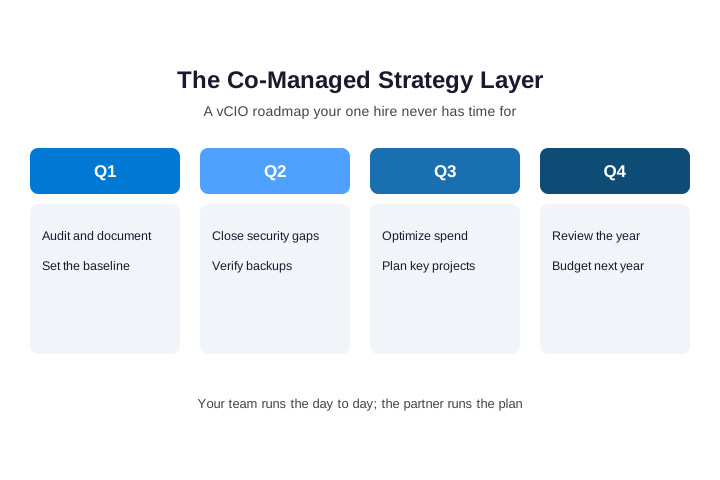
Most coverage of this model stops at the help desk. However, the real leverage sits one level up, in the strategy layer that a virtual CIO provides. Specifically, your internal person keeps the lights on, while the partner brings the boardroom view that one hire rarely has time to build. As a result, the strategy layer is where co-managed IT services earn their keep across a year, not just a busy week.
In practice, that layer is concrete work. First, a written technology roadmap ties each project to a business goal. Moreover, a real IT budget separates one-off purchases from monthly subscriptions, so finance can plan ahead. Additionally, a security strategy maps your controls to a recognized framework instead of guesswork. Furthermore, vendor management means someone finally owns the calls with your internet provider, your line-of-business apps, and your Microsoft licensing, on top of the ongoing managed IT support you already rely on. Finally, a quarterly business review keeps the plan honest: it walks through spend against budget, upcoming renewals, open risks, and a simple security score, so the next quarter is a decision rather than a guess.
🚀 The First 90 Days: How a Clean Handover Works
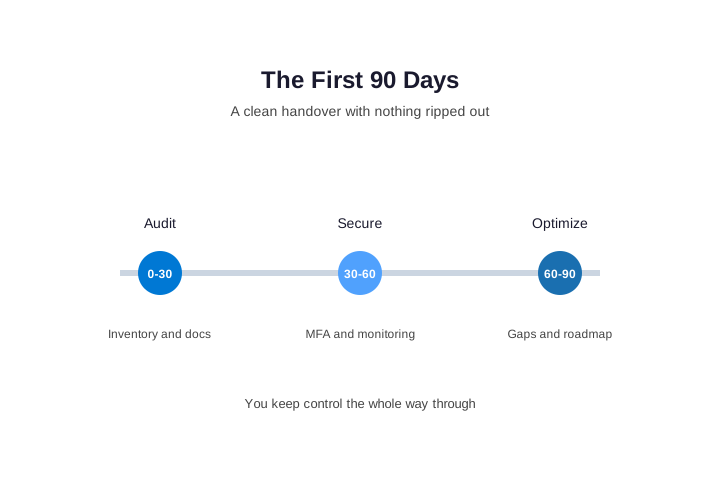
The biggest fear before signing is disruption. Therefore, a good co-managed IT services onboarding is staged, and nothing gets ripped out on day one. In the first thirty days, the partner audits and documents everything, builds an asset inventory and a network map, and writes it all into a shared system that you own. Moreover, you keep the admin credentials, so control never leaves the building.
From day thirty to sixty, the focus shifts to security. Specifically, the team switches on multi-factor authentication, deploys monitoring agents, sets a patch baseline, and verifies that backups actually restore. Finally, from day sixty to ninety, the work turns to optimization: closing the gaps the audit found, agreeing the first roadmap, and setting a review cadence with your security baseline in writing. By the end, you should hold a documented network diagram, a password vault, and a written runbook. As a result, co-managed IT services should never mean a painful migration; ask any provider to walk you through this plan before you sign.
🧱 The Honest Objections About Co-Managed IT Services
Plenty of internal IT managers push back on this model, and their reasons are fair. Therefore, it is worth naming the honest objections to co-managed IT services, because a good partner answers each one without flinching. The first worry is control, as people fear an outside team will fight them for the keys. In practice, a clear written split of duties, with your team owning approvals, settles that quickly.
The second worry is ownership. Specifically, who holds the documentation and the tool access? The answer must be you, so demand admin credentials, exportable documentation, and read access to the monitoring tools. Moreover, billing fears are real, so ask exactly what falls outside the flat per-user fee, such as large projects or after-hours work. Additionally, ask who actually answers the phone, what the escalation path looks like, and whether you get a named engineer rather than a rotating queue of junior techs. Furthermore, treat the partner’s own security as part of the deal, with least-privilege access, logged sessions, and their own audited controls. As a result, if a provider cannot answer these questions before you sign a co-managed IT services contract, that hesitation is your answer.
📚 More for Growing Businesses
🤝 Ready to back up your IT team without replacing it?
Wintive co-manages your Microsoft 365 alongside your internal person. Specifically, we add monitoring, security, after-hours cover, and project muscle, while your team keeps control and context. It is one flat monthly fee per user. No long contract. No surprise bills.
❓ Co-Managed IT Services: Frequently Asked Questions
They are a partnership where an outside provider shares IT work with your internal team. Your person keeps control and the day-to-day, while the provider adds monitoring, security, after-hours cover, and projects. The goal is more reach without replacing the person who knows your business.
Fully managed means the provider runs all of your IT. Co-managed means the provider works alongside your existing staff and fills the gaps. So you keep internal knowledge and control, and you add depth and hours on top.
Your team usually keeps the help desk relationships, the priorities, and quick fixes. The provider usually takes round-the-clock monitoring, security, after-hours cover, patching, backups, and big projects. The exact split is written down and agreed before day one.
It fits a firm that already has one IT person or a small team but has outgrown what they can carry alone. The signs are a single point of failure, security gaps, and projects that keep stalling. If you value your person but need more reach, co-managed is usually the answer.
More questions about co-managed IT services
No. A good partner backs up your person rather than replacing them. It takes the night shifts, the specialist work, and the overflow, while your person keeps the trust and context they have earned. Morale usually goes up, because the pressure lifts.
They cost a flat amount per user, per month, and you pay only for the reach you add. So the price stays predictable and is far less than a second IT salary. Across a year, that fee almost always beats the cost of one bad night of downtime.
They remove the single point of failure, add round-the-clock monitoring, and bring security depth one person cannot. They also keep patches and backups current and tested. The result is fewer incidents, less downtime, and a team that is never left uncovered.