

Running a small business in the US means living with a long list of rules. Some come from your state, some from the federal government. Moreover a growing number now come from the clients and insurers you depend on. Miss one and the cost is rarely small. Specifically you risk a fine, a voided liability shield, a lost contract, or a breach you must disclose. In practice a small business compliance checklist keeps it manageable: know the list and work it on a schedule.
This small business compliance checklist walks through every area you need to cover, from formation and tax to employment, data, and cybersecurity. It pays special attention to the data and IT side, because that is where most owners have the biggest gaps and where regulators and cyber insurers now look first. If your business runs on Microsoft 365, much of that work is configuration you have already paid for.
Not sure your small business is actually compliant where it counts?
Wintive helps US small businesses lock down the data and security side of compliance on the Microsoft 365 they already own. We configure access, encryption, and audit logs, then document the controls a client or insurer will ask to see. The price is a flat monthly fee per user, with no long contract and no setup cost.
📅 Book a Free 30-Min Call | 💬 Chat on WhatsApp | See Our Plans →
🔒 Why a small business compliance checklist matters in 2026
📌 TL;DR — small business compliance checklist (2026): A small business stays compliant by tracking a few recurring duties: formation, licenses, tax, employment, data, and security. Most owners miss the data and IT side. That is exactly what clients, regulators, and cyber insurers now check first. For firms on Microsoft 365, that side is mostly configuration and proof, not new software. This small business compliance checklist walks every area, then shows where to start.
Overall a small business compliance checklist matters because the rules rarely announce themselves. No one emails you when an annual report is due or when a new privacy law takes effect. Importantly the penalties arrive on their own schedule. In addition a lapsed state filing can quietly strip the liability protection that keeps your personal assets safe. Additionally a misclassified employee can turn into a back-pay claim years later.
In 2026 the sharpest edge is data. Clients now send security questionnaires before they sign. Moreover cyber insurers ask for proof of controls before they renew, and deny claims when that proof is missing. A small business compliance checklist turns all of this from a yearly scramble into small, repeatable tasks. Furthermore it gives you the paper trail that makes an audit, a sale, or an insurance renewal go smoothly.
🧩 What a small business compliance checklist actually covers
Additionally a small business compliance checklist is not one thing. Similarly it is six areas that each carry their own deadlines and risks. For instance most owners handle the first three well, because the state and the IRS send reminders. The last three cover employment, data, and security. Those are where the gaps hide, and they have grown fastest.
Use this small business compliance checklist as your map. The table below pairs each area with the risk it removes and the Microsoft 365 tool that covers it. Notably you do not need a separate platform for most of this. You need the controls switched on, configured for your business, and documented so you can prove they exist.
| Compliance area | What it protects you from | Where Microsoft 365 helps |
|---|---|---|
| Formation & registration | Losing good standing or your liability shield | Document storage and reminders in SharePoint |
| Licenses & permits | Fines and forced shutdowns | Renewal tracking and shared records |
| Tax | Penalties and interest from the IRS and your state | Secure records and retention in Purview |
| Employment & HR | Wage claims and wrongful-termination suits | Access-controlled HR files in SharePoint |
| Data & privacy | Breach lawsuits and customer loss | Encryption and data labels in Microsoft Purview |
| IT & security | Ransomware and a failed insurer review | MFA, Defender, and audit logs in Microsoft 365 |
🏛️ Small business formation and registration compliance
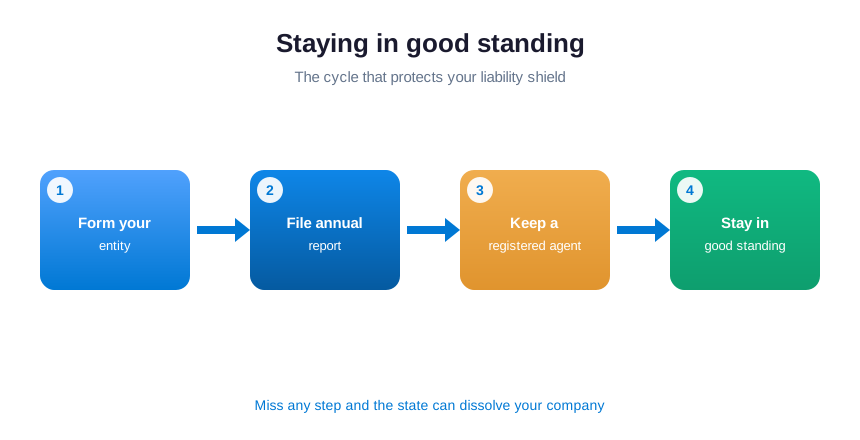
Specifically your legal entity is only protected while it stays in good standing. That means filing an annual or biennial report with your state. It also means keeping a registered agent on file and paying any franchise tax on time. Let any of these lapse and the state can administratively dissolve your company. That dissolution removes the liability shield you formed it to get.
In practice keep the founding documents where you can find them. Your operating agreement or bylaws, your EIN letter, and your formation certificate should live in one secure, backed-up place. In Microsoft 365 a single SharePoint library with restricted access does the job. Similarly it means these records survive a lost laptop or a departing partner.
📄 Licenses, permits and annual filings
Overall almost every business needs at least one license to operate legally, and many need several. A general business license from your city or county is common. Regulated trades then add their own permits on top. Importantly home-based businesses are not exempt, since zoning and home-occupation permits still apply. Each license carries a renewal date, and a missed one can mean fines or a forced pause.

Build a simple register of every license and permit, with its issuing body, number, and renewal date. In addition set a reminder a month ahead of each deadline. This is unglamorous work, yet it prevents the most avoidable failure of all. You avoid getting caught operating on an expired permit you simply forgot to renew.
💸 Tax compliance every small business owner must track
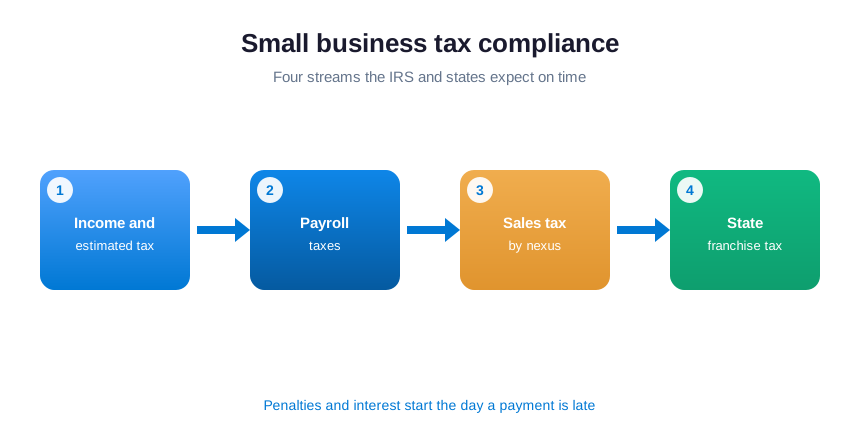
Tax is the area with the most moving parts and the least forgiveness. Beyond your annual return, you may owe quarterly estimated taxes and payroll taxes on every paycheck. You may also owe sales tax in each state where you have nexus, plus a franchise tax unrelated to profit. The IRS and state agencies charge penalties and interest from the day a payment is late. Specifically timing matters as much as accuracy.
Keep clean, secure records of everything that feeds a return: receipts, payroll reports, bank statements, and prior filings. Moreover most agencies expect you to retain these for several years. Store them in an access-controlled, retention-tagged location, such as a Microsoft Purview-managed library. Then you can answer an audit without a frantic search, and without exposing sensitive financials to the whole team.
👥 Small business employment and HR compliance
Additionally the moment you hire your first employee, a new layer of compliance switches on. You must verify work eligibility with Form I-9 and report the new hire to your state. You then run payroll taxes correctly and classify each worker as an employee or contractor using the right test. Similarly get classification wrong and you can owe years of back taxes and benefits.
For instance ongoing duties matter just as much as onboarding. Notably the list below covers the essentials most small employers must keep current.
- Display the required federal and state labor-law posters where staff can see them.
- Keep I-9 forms and payroll records secure and separate from general HR files.
- Follow wage-and-hour rules on overtime, breaks, and minimum pay.
- Maintain a written policy handbook and document any disciplinary action.
- Protect employee data, since it carries the same privacy duties as customer data.
🌎 Registering to do business in another state
If your business is formed in one state but operates in another, you usually need to register there too. That step is called foreign qualification. Hiring an employee, opening an office, or building a physical presence in a new state typically triggers it. Skip it and you can face back fees and penalties. You can even lose your right to bring a lawsuit in that state’s own courts.
Specifically each state you qualify in adds its own annual report, registered agent, and fee. Therefore the duty repeats with every expansion. Before you cross state lines, check the rules where you plan to operate. Then add each new filing to your compliance calendar. The cost of qualifying upfront is almost always smaller than the penalties for operating unregistered.
🏷️ Beneficial ownership reporting and the Corporate Transparency Act
The Corporate Transparency Act introduced a federal rule for many small companies. They must report their beneficial owners, the people who ultimately own or control the business. That goes through a Beneficial Ownership Information report filed with FinCEN. It targets anonymous shell companies, but ordinary corporations and LLCs can fall within scope. Moreover the requirements and deadlines have shifted more than once since it took effect.
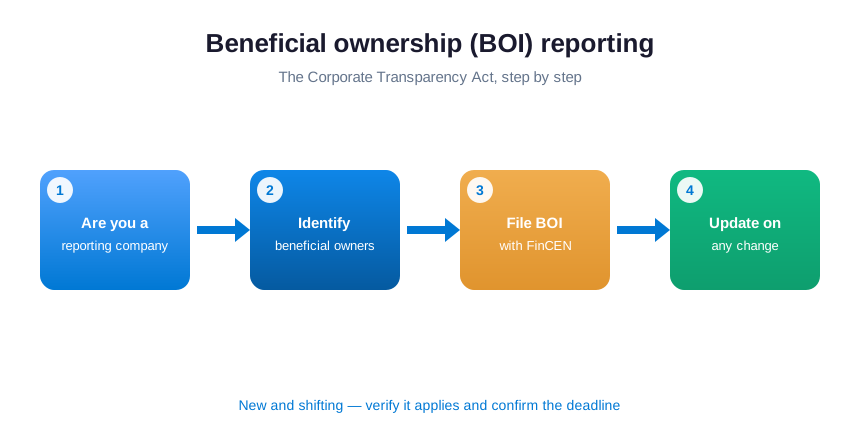
Because the rule is new and still moving, it is one of the easiest obligations to miss. Check whether your entity has to file, and confirm the current deadline before you rely on any date. Keep your ownership records accurate, so an update is quick if the rules change again. When in doubt, treat it like any other filing. Specifically verify, document, and set a reminder rather than assume it does not apply.
🧾 Sales tax nexus: where you owe and why it changes
In practice sales tax is no longer only about where your business sits. Most states now apply economic nexus rules. Once your sales into a state cross a set threshold, you must register, collect, and remit sales tax there. That holds even with no physical presence. For an online seller, that can quietly create obligations in many states at once.
Overall nexus shifts as your sales grow. Consequently a business that owed nothing last year can cross a threshold this year without noticing. Importantly track where your customers are, watch each state’s threshold, and register promptly when you cross one. Clean records of sales by state keep this manageable and stop a future audit from turning into a costly reconstruction.
⚖️ Worker classification: employee or contractor
How you classify the people who work for you is one of the most scrutinized areas of small business compliance. Treating someone as an independent contractor when the law sees an employee is called misclassification. It can lead to years of back taxes, unpaid overtime, and penalties from the IRS and your state labor agency. In addition the tests turn mainly on how much control you have over the work.
When you are unsure, the safer assumption usually leans toward employee. Documenting your reasoning helps if the call is ever questioned. Review each role against the control tests, and keep contractor agreements and job descriptions on file. Then revisit the classification whenever a role changes. Moreover getting this right from the start is far cheaper than fixing it after an audit.
🔏 Small business data protection and privacy compliance
Once you collect a customer’s name, email, or payment details, you take on a duty to protect that data. That duty sits high on any small business compliance checklist. State privacy laws now reach far beyond California. Many require you to disclose what you collect, honor deletion requests, and notify people quickly if data is exposed. The penalties are real, and a public breach can cost more in lost trust than in fines.
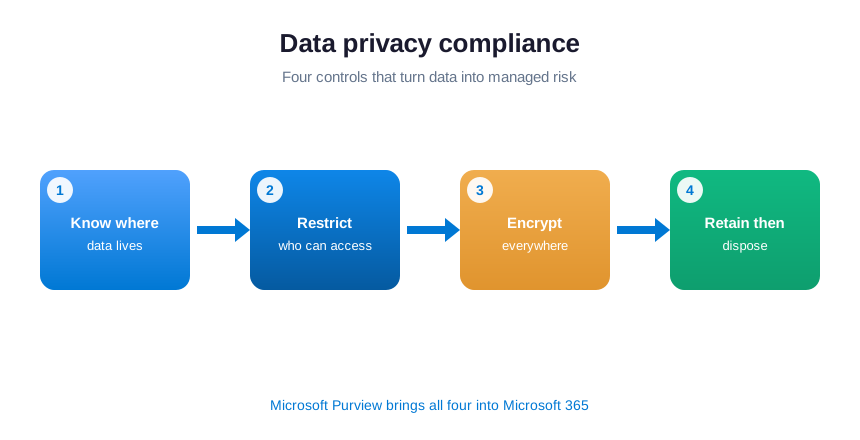
Additionally good privacy compliance starts with knowing where sensitive data lives and limiting who can touch it. Similarly encryption protects it if a device is lost, and data labels flag what is sensitive. Likewise a clear retention rule stops old records from piling up as liability. Microsoft Purview brings these controls into the Microsoft 365 you already run. As a result privacy becomes a configuration task, not a new system to buy.
🔐 IT and cybersecurity compliance
For instance cybersecurity is now a compliance requirement in its own right, not just good practice. A client contract, a state privacy law, or a cyber-insurance policy will each expect basic controls in place. The core list is short and consistent across all three. Specifically it means multi-factor authentication on every account, encryption on every device, and managed updates. Additionally you need a way to detect and respond to threats quickly.
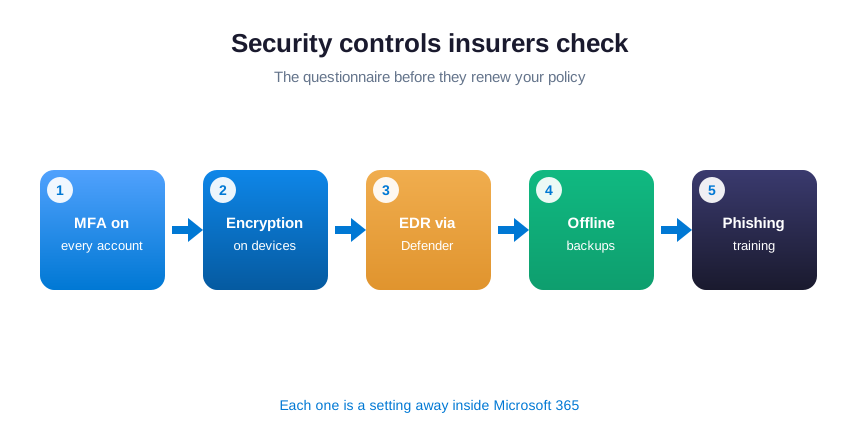
Specifically none of this requires a dedicated security team if your business already runs on Microsoft 365. Multi-factor authentication and conditional access live in Microsoft Entra ID. Device encryption and update policies live in Intune, while threat detection lives in Microsoft Defender. The compliance work is turning these controls on and tuning them for how your business operates. You then keep evidence that they run as intended.
In practice the gap most small firms carry is not the tools but the proof. Overall an auditor or an insurer does not accept good intentions. Importantly they want a screenshot, a policy export, or a log entry. Build that evidence once, then refresh it on a schedule. That habit separates a business that passes a security review calmly from one that scrambles the night before.
🏥 Industry rules: HIPAA, PCI DSS and what they demand
In addition to the rules every business follows, some industries carry their own. Moreover handle protected health information and you fall under HIPAA. It demands access controls, encryption, audit logging, and a signed agreement with any vendor that touches the data. Accept card payments and you fall under PCI DSS. Specifically it sets strict rules for how card data is stored, transmitted, and kept separate.
Additionally both frameworks reward the same foundation. Know where the sensitive data sits, restrict who can reach it, encrypt it, and log every access. A business with solid identity and data controls in Microsoft 365 is most of the way there. What remains is the paperwork: the signed vendor agreements and the regular review that proves the controls still hold.
📋 What cyber insurers now require before they pay
Cyber insurance has quietly become one of the strictest compliance auditors a small business will ever meet. Before they issue or renew a policy, insurers now send a detailed questionnaire. It asks whether you enforce multi-factor authentication, keep offline backups, run endpoint protection, and train staff against phishing. Answer no, or answer yes without proof, and you face a higher premium or a denied claim later.

For instance treat that insurer questionnaire as a free small business compliance checklist. Notably every control it asks about is one you should have in place anyway. Likewise most are a setting away inside Microsoft 365. Specifically document each answer with evidence as you go. As a result the renewal becomes a form you fill in calmly. It stops being a scramble over whether you are actually covered when something goes wrong.
🗂️ Recordkeeping, audit logs and proof
Compliance is not only about doing the right thing; it is about being able to prove you did. Tax records, signed agreements, HR files, and security logs all carry retention rules. The ability to produce them on request turns a stressful audit into a quick one. The most common failure here is not a missing control. Instead it is a missing record that the control was ever in place.
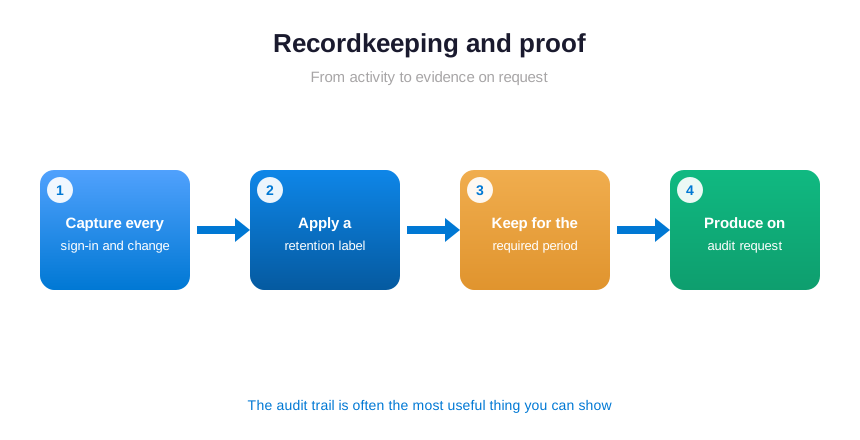
Keep records in one organized, access-controlled, backed-up place, and let the system handle retention. Microsoft 365 logs every sign-in, file access, and admin change. Then Microsoft Purview applies a retention label that keeps a record as long as the law requires. It then disposes of the record automatically. That audit trail is often the single most useful thing you can show a regulator or an insurer.
☁️ How Microsoft 365 covers your data and security compliance
The data and security side of compliance is achievable for most small businesses. It is the half of the small business compliance checklist that Microsoft 365 quietly handles. In practice you are most likely paying for these tools and using a fraction of what they do. The job in front of you is configuration and proof. You do not need a new round of software procurement or another vendor to manage.
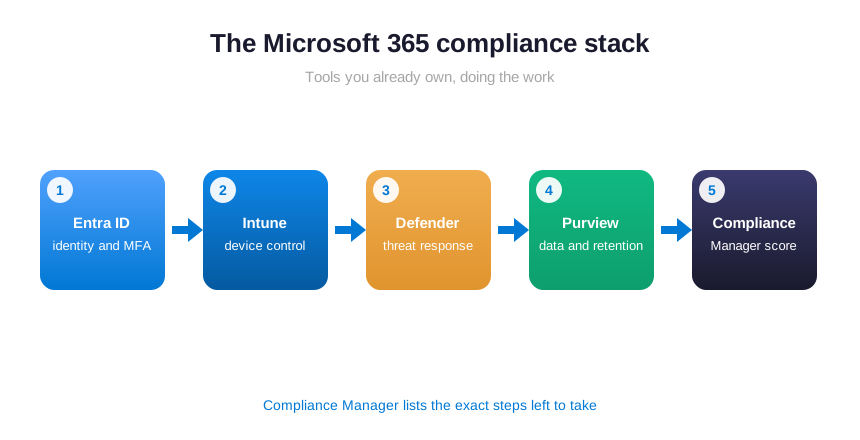
Microsoft Entra ID handles identity, multi-factor authentication, and access control. Intune manages and encrypts every device. Microsoft Defender detects and responds to threats. Microsoft Purview classifies sensitive data, applies retention, and runs Compliance Manager. Together they cover the controls a client, a regulator, or an insurer will ask you to show. That reach spans the accounts, devices, and files your business depends on.
Compliance Manager deserves a special mention. It turns an abstract framework into a checklist of improvement actions, each with plain instructions. It also tracks your score as you complete them. For a small business with no compliance officer, it is the closest thing to having one. Better still, it is built into software you already own and pay for every month.
🗓️ Build a compliance calendar to stay compliant
The difference between a compliant business and a non-compliant one is rarely knowledge; it is a calendar. Deadlines are scattered across agencies, renewals, and review dates. The only reliable way to meet them all is to gather every recurring duty into one place with reminders. Overall annual reports, tax filings, license renewals, policy reviews, and access audits all belong on your small business compliance checklist.
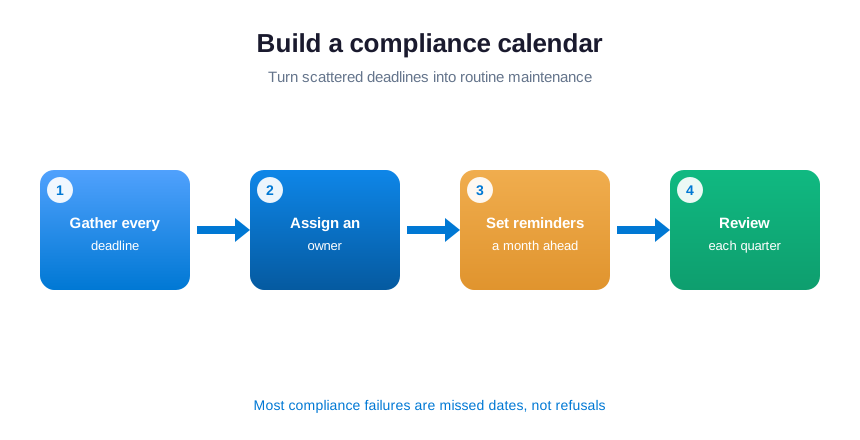
Assign an owner to each item, even in a small team, so nothing falls between roles. A shared calendar or task list in Microsoft 365 gives every task a reminder and a clear owner. That turns compliance from a yearly panic into routine maintenance. Review the whole list once a quarter to catch new rules. Then retire the ones that no longer apply.
💡 The cheapest compliance fix there is: a single shared calendar with an owner on every deadline prevents more penalties than any tool you can buy. Most compliance failures are not refusals to comply; they are missed dates. Put every renewal and filing in one place, set reminders a month ahead, and the problem mostly solves itself.
⚠️ Where small businesses get compliance wrong
Importantly most compliance failures come from a handful of predictable habits rather than bad intent. A small business compliance checklist exists to catch them. Knowing them in advance is half the battle, because each one is easy to fix once you can see it clearly.
- Treating compliance as a one-time setup instead of a recurring schedule with owners and dates.
- Assuming Microsoft 365 is compliant out of the box, when it needs configuration and documented proof.
- Keeping no evidence, so genuine controls still fail an audit because nothing records that they exist.
- Ignoring the data and security side until a client questionnaire or an insurer renewal forces the issue.
- Letting deadlines live in one person’s head instead of a shared calendar with reminders for everyone.
🤝 How Wintive keeps your Microsoft 365 compliant
Wintive handles the data and security half of your small business compliance checklist on the Microsoft 365 you already own. We configure identity, access, encryption, and audit logging, and switch on the controls that clients and insurers ask about. We then document each one, so the evidence is ready before anyone requests it. In addition you get the controls and the proof, without hiring a compliance officer or buying another platform.
💡 What we see across 60+ tenants: the controls are almost never the hard part; the proof is. Businesses that keep evidence as they go pass reviews in an afternoon. The ones that do not spend a frantic week reconstructing it. We build the proof in from day one. As a result a client questionnaire or an insurance renewal becomes a quick form, not a fire drill.
📚 More for US small businesses
🔒 See exactly where your Microsoft 365 is exposed
The M365 Master Audit is a full Microsoft 365 security audit for a US small business. Specifically it reviews your identity, email, device, and data controls, finds every gap, and ranks the fixes by real risk. As a result you get a written report, a clear action plan, and the evidence to show insurers and clients.
❓ Small business compliance checklist: frequently asked questions
It runs across six areas: business formation and registration, licenses and permits, tax, employment and HR, data and privacy, and IT security. Most owners cover the first few well and miss the data and security side, the part clients and insurers check first.
It varies by item. Annual reports are usually yearly or every two years, income and payroll taxes run quarterly and annually, and each license renews on its own date. A shared calendar with reminders is the only reliable way to track them all.
The cost ranges from fines and interest to losing your good standing and the liability shield that protects your personal assets. A weak security posture can also mean a denied insurance claim or a lost contract.
Yes, on the data and security side. Entra ID, Intune, Defender, and Purview deliver access control, encryption, threat detection, audit logs, and retention. Compliance Manager even scores you against a framework and lists the exact steps left to take.
List every obligation with its deadline and an owner, then close the data and security gaps that insurers and clients check. Start with multi-factor authentication, device encryption, and audit logging, since those carry the most risk for the least effort.