

Choosing a managed IT services company is one of the highest-stakes calls a small business makes and the wrong one costs you quietly. It costs you in downtime, in breaches, and in fees you never planned for. Yet most owners pick on a gut feeling or a single referral. They never compare on the things that actually matter. So this guide gives you a real method instead. It covers what a the firm does, the five criteria to score every option, the questions that expose a weak partner, the red flags, and how to judge price, security, and the exit. It is written for a firm of five to fifty people, not an enterprise.
🤝 Want a managed IT partner you can score 5/5?
Wintive manages Microsoft 365 for small businesses on one flat per-user fee. Security, support, monitoring, and strategy sit in one predictable bill, with references on request and no long lock-in.
📅 Book a Free 30-Min Call | 💬 Chat on WhatsApp | See Our Plans →
🏢 What a Managed IT Services Company Does
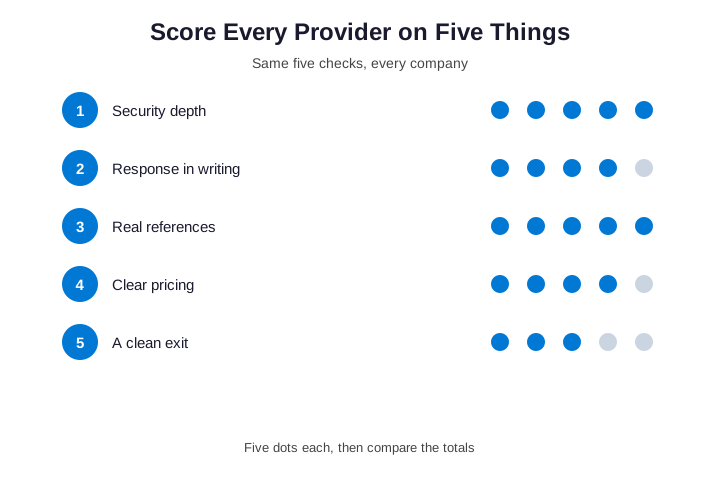
In short, choose a managed IT services company by scoring every option on five things: security depth, response times in writing, real references, clear flat pricing, and an easy exit. Add up the scores out of five, and the strongest firm usually picks itself. The best fit is rarely the cheapest or the closest.
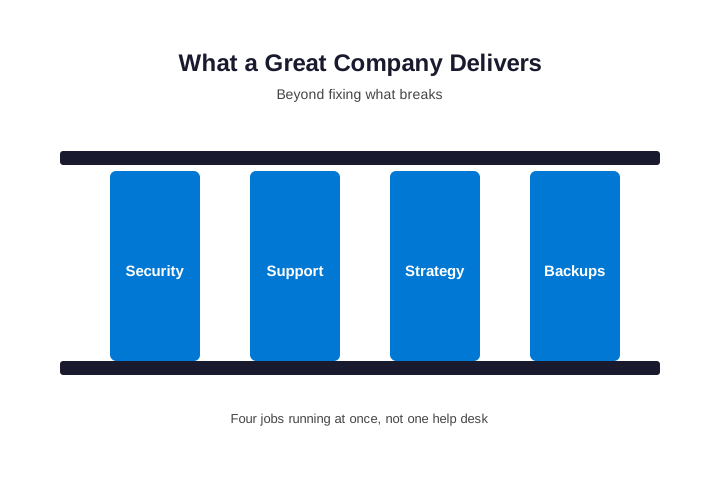
Before you choose one, get a clear picture of the job. In short, a the company runs your technology for a flat monthly fee. So you stop paying by the hour for emergencies. Specifically, it handles the help desk and the day-to-day tickets but it patches and monitors every machine. It runs your security and your backups while and it owns the strategy that keeps it all aligned with the business. Moreover, the good ones work proactively so that means they fix the failing disk before it stops your team, not after. It means patches land before an attacker uses the hole. As a result, you trade a pile of unpredictable IT headaches for one partner and one predictable bill. That shift, from reactive to managed, is the whole point.
🤔 Why Choose a Managed IT Services Company?
The case for outsourcing is not magic yet it is math and coverage. For example, one full-time IT hire costs $75,000 to $120,000 a year. That is before benefits, tools, and training. And that single person still cannot do everything. They cannot watch the network overnight while answering tickets by day. By contrast, a it gives you a whole team. It is monitored around the clock, for a fraction of a salary. Furthermore, it never goes on holiday or hands in its notice. It does not take its knowledge with it when it leaves. Therefore, for most small firms the real question is not whether to outsource and it is how to choose well. Because a bad team is worse than none at all. As a result, the rest of this guide is about choosing well.
📊 Five Criteria to Score a Managed IT Services Company
Gut feeling is a poor way to spend thousands a year. So score every option on the same five things. First, look at security depth. That is where a cheap one cuts the corners you cannot see. Second, demand response times in writing because a promise without an SLA is just a hope. Third, insist on real references you can actually call and fourth, require clear, flat pricing. There should be no surprise project bills but finally, check how easy it is to leave. A partner who makes the exit hard is telling you something. Moreover, give each one a simple score out of five per criterion. Then add the totals. As a result, when you score each managed IT services company this way, the winner usually picks itself. The method beats the gut feeling every time.
🛡️ Security: The One You Cannot Compromise
Security separates a real firm from a help desk with a logo. So press hard on it. Specifically, ask whether monitoring, detection, and incident response are inside the monthly fee. If a breach is billed as a separate project, that matters. You will pay tens of thousands exactly when you can least afford it. Moreover, a strong managed IT services company turns on the protection you already own while it configures your Microsoft 365 security properly. It does not sell you a duplicate tool you do not need. In fact, many firms pay for advanced licenses they never switch on. The features sit idle while the risk stays open.
Therefore, judge security by what is included and already running so do not judge it by the brochure. For a baseline, Microsoft lists the security features in each plan. So you can check a team switches on what you already pay for. A real one welcomes that check. As a result, the partner that talks security first is usually the one worth shortlisting. The cost of a bad choice is real. You feel it in downtime, in a breach, or in fees that creep up. By contrast, a good choice fades into the background. The technology simply works, so you stop thinking about it. Therefore, treat this decision with the weight it deserves.

🔐 Security Frameworks to Look For
A serious provider does not invent its own security. It maps to a recognized framework. So ask which one they follow. For most small businesses, the CIS Controls give a practical baseline. For anything regulated, NIST and SOC 2 carry more weight. In Microsoft 365, that translates into concrete settings. It means MFA on every account, conditional access, and Defender switched on. It means data-loss rules and audit logging that someone actually reviews. Moreover, the framework is not paperwork for its own sake.
It is a checklist that turns “we take security seriously” into something you can verify. Therefore, ask to see how their checklist maps to your tenant. A real partner shows you. A weak one waves it away. It costs nothing to ask. And the answer tells you plenty. A team fluent in frameworks has done this before. One that stumbles is learning on your tenant. You are paying for experience, not a training ground. In fact, references are the fastest proof here, because a real client cannot be faked. Make them prove it from day one.
| Framework | Best for |
|---|---|
| CIS Controls | A practical small-business baseline |
| NIST CSF | Risk-based, broad coverage |
| SOC 2 | Proof for clients and partners |
⏱️ Response Times and SLAs in Writing
Speed matters most on your worst day. So it cannot be left vague. Specifically, a real firm commits to response times by priority. A system that is down gets a tighter window than a routine request. Moreover, those commitments belong in a written SLA yet a number you can hold them to beats a friendly “we are quick”. For example, ask what happens when they miss the window. A credit or a clear escalation path shows they mean it. By contrast, a team who will not put response times on paper is keeping the option to be slow. They are protecting themselves, not you and therefore, treat the SLA as a hard requirement, not a nice-to-have. As a result, no response times in writing is itself a red flag because the sales pitch does not change that.
💰 How a Managed IT Services Company Prices
Price is where comparisons fall apart and every one quotes differently. In practice, most charge per user, per month but that keeps the bill predictable as you grow. For a small business it usually lands between $100 and $400 per user. The swing depends mostly on how much security you switch on while moreover, beware the cheap headline rate. Hidden fees for projects, after-hours work, and incident response add up fast so they can add 30 to 50 percent over a year. Therefore, compare quotes on identical scope yet never compare on the lowest number alone. For the full picture, read our managed IT pricing guide before you sign. As a result, the cheapest the firm on paper is often the most expensive in reality.
| Model | How it bills | Best for |
|---|---|---|
| Per user | Flat fee per person | Most small businesses |
| Per device | Fee per machine | Few devices per user |
| Tiered | Good / better / best | Simple, fixed needs |
| Break-fix | By the hour | Almost no one |
❓ Questions to Ask Before You Sign
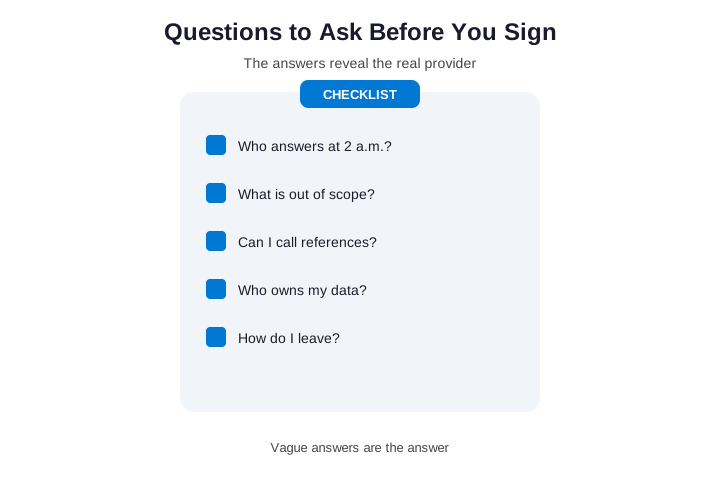
The right questions expose more than any sales deck. So bring a short list to every meeting. First, ask who actually answers at 2 a.m. The night of an outage is when you learn the truth. Second, ask exactly what falls outside the monthly fee. “Unlimited” with no exclusions is just a generous name. Then ask whether you can call two references your size. A confident partner shares them without hesitation and moreover, ask who owns your documentation and passwords. Ask how you would leave if it went wrong because additionally, ask about the hardware markup and the onboarding plan. These answers reveal the real operator behind the pitch. As a result, the managed IT services company that answers all of these plainly has already earned a place on your shortlist.
🚩 Green Flags and Red Flags
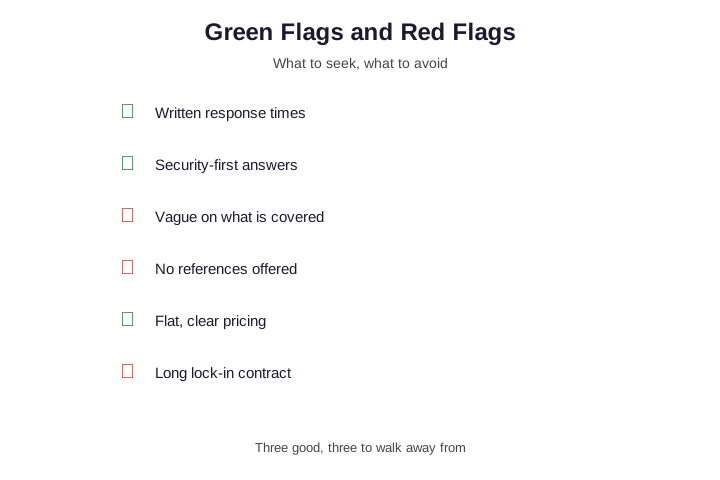
Some signals tell you almost everything before the contract. So learn to read them. On the green side, look for written response times and look for security-first answers. Look for references on request, and flat, clear pricing but by contrast, walk away from certain signs. Be wary of a firm who is vague about what is covered while be wary of one that offers no references. Avoid hidden markups on hardware so avoid a long lock-in contract. Moreover, watch how they quote yet a team who asks detailed questions about your setup is pricing reality. One who quotes blind is only guessing. Therefore, treat how a the company sells as a preview of how it will serve. As a result, the flags you spot during sales are the ones you live with for years.
🧾 What a Managed IT Services Company Includes
It also helps to know what the flat fee usually buys. So here is the typical scope. First, an unlimited help desk for everyday tickets. Then patching and monitoring on every device, day and night. Security comes next: MFA, endpoint protection, and threat detection. Backups follow, tested so they actually restore. Most plans add a strategy layer too, often a quarterly review with a virtual CIO. Moreover, the best plans fold incident response into the fee, so a breach is not a surprise invoice.
By contrast, watch for scope that stops at the help desk. That is a thin offer dressed up as a full one. Therefore, line up the scope against this list before you compare prices. As a result, you judge each option on the same jobs, not on a vague promise of support. Print the list if it helps. Tick each item per option. The gaps jump out fast. And the gaps are where cheap quotes hide.
A full scope costs more on paper. It costs far less in surprises. That trade is the whole point. Think in years, not months. A provider you keep for five years compounds value. One you replace twice does the opposite. So choose for the long run, not the cheap start. Moreover, the cost of switching is real, so a strong first choice saves a painful migration later. As a result, patience now beats a redo in a year.
📍 Local vs National Managed IT Services Company
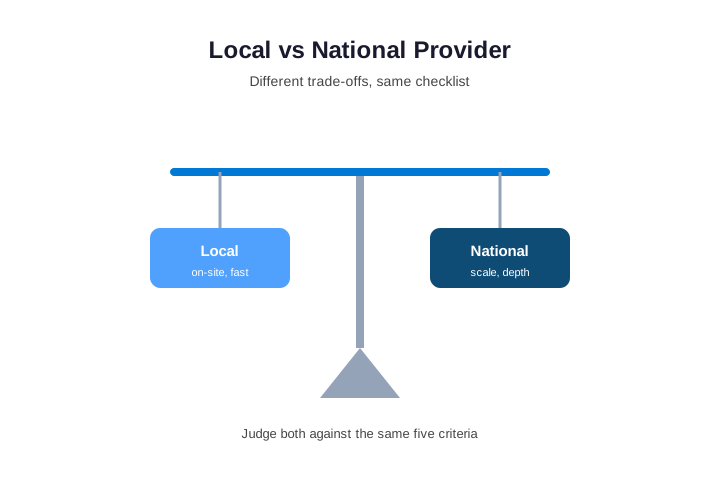
Geography matters, but less than most owners think. So weigh it honestly. Specifically, a local one can be on-site fast and it knows your area and your suppliers. That helps when hardware physically fails. By contrast, a national partner often brings more depth because it has tighter security tooling. It can staff round-the-clock cover that a small local shop cannot and moreover, with Microsoft 365 most work happens remotely anyway. So the on-site advantage is smaller than it used to be. A remote team fixes most issues in minutes but therefore, do not choose on the map alone. Judge a local and a national managed IT services company against the same five criteria. Then let the scores decide. As a result, the best fit is whoever protects the business, not whoever is closest.
📞 References and Proof You Can Check
Anyone can claim to be great. So make them prove it. Specifically, ask for two or three references at your size and in your industry. Then actually call them. Ask about response times while ask about surprises on the bill. Ask how a real problem was handled so moreover, ask the firm to show a sample report or a roadmap. That reveals whether they think beyond the next ticket. For example, a team that brings a written plan to a first meeting is rare. It is also a strong signal. Therefore, treat proof as a filter yet the firms that dodge references are usually hiding the same gaps. As a result, ten minutes on the phone with a real client tells you more than any glossy proposal.

📅 Contracts, Onboarding, and the Exit
The contract is where a fair deal holds or unravels. So read it as carefully as the price. Specifically, check the term and the notice period and a low first-year rate means little if it auto-renews for years. Moreover, ask how onboarding works because a clean handover audits your setup. It documents everything and and it rips nothing out on day one. Above all, settle the exit before you sign but confirm that you keep the admin credentials. Confirm that documentation is exportable while confirm there is no punitive offboarding fee. Therefore, a one that makes leaving easy usually earns its keep by staying good so it does not need to trap you. As a result, the questions about leaving are the best test of how you will be treated while you stay.
✅ Is a Managed IT Services Company Worth It?
Worth is not the monthly fee against zero yet it is the fee against the alternative. For example, weigh it against a salary and weigh it against a day of downtime with the team idle. Weigh it against the gaps a cheaper option leaves open because in fact, the value shows up on the quiet days. Monitoring caught the problem early and the patch closed the hole. The backup was tested before anyone needed it but moreover, the right it turns technology into a planned, budgeted line.
It stops being a source of nasty surprises while therefore, the firms that win choose on the five criteria. They compare honestly so they treat the fee as insurance with a help desk attached. As a result, choosing well, not just choosing cheap, is what makes it worth it. In the end, the method is simple. Score, compare, and check the proof. Then trust the totals over the sales pitch. No option is perfect. The goal is the best fit, not a flawless one. So weight the criteria that matter most to you. For a regulated firm, that is security. For a lean team, it is speed and price. Write your top two criteria down before any call. Then hold every option to them. It keeps the whole decision honest. For example, if security is your top pick, weigh it double. So the score reflects what actually matters to you.
🔄 Managed, Break-Fix, or In-House?
A managed IT services company is not your only option. So it helps to see the three side by side. Break-fix means you pay by the hour when something breaks. It looks cheap until the first real outage. Then a single bad day costs more than a year of cover. In-house means one salaried hire. That person is capable but alone. They cannot be a security expert, a help desk, and a project lead at once. By contrast, a managed plan is a whole team on a flat fee yet it watches everything, day and night. Moreover, a middle path exists and a co-managed setup keeps your internal person and adds the depth they lack. Therefore, match the model to your size and risk because as a result, most firms under fifty people land on managed or co-managed.
| Option | Cost shape | Coverage |
|---|---|---|
| Break-fix | By the hour | Reactive only |
| One in-house hire | $75k-$120k/yr | One person, business hours |
| Managed company | Flat per user | A team, monitored, after-hours |
🏭 Does Industry Experience Matter?
Industry fit helps, but it is not everything. So weigh it sensibly. A partner who knows your sector understands its compliance load and for a medical practice that means HIPAA. For an accounting firm that means the FTC Safeguards Rule but for a law firm that means client confidentiality. Moreover, a firm with sector experience knows your software while they have seen your line-of-business apps before. That shortens onboarding and avoids rookie mistakes. By contrast, a generalist can still be excellent if they ask the right questions. Therefore, treat industry experience as a bonus, not a hard filter so ask for references in your field to test it. As a result, a the right partner that has done your compliance before is one less risk you carry.
💡 What we see when firms switch providers: The painful moves almost always skipped the references and the SLA, and signed on a gut feeling. The happy ones scored two or three companies on the same five criteria, and picked the highest total. Turning a confusing choice into a simple scorecard is the core of what we help with.
🚀 Onboarding: The First 90 Days
How a team starts tells you how it operates. So ask about onboarding in detail. A clean handover runs in stages. In the first thirty days, the team audits your network. It documents every device and account yet it writes it all into a system you own. From day thirty to sixty, it switches on security and that means multi-factor login, monitoring, and tested backups. From day sixty to ninety, it optimizes because it closes the gaps the audit found and sets a review rhythm. Moreover, nothing should be ripped out on day one. You keep working while the handover happens. Therefore, ask any managed IT services company to walk you through this plan before you sign. As a result, a vague onboarding answer is a warning the rest will be vague too.
| Onboarding stage | What happens |
|---|---|
| Days 0-30 | Audit the network and document everything you own |
| Days 30-60 | Switch on MFA, monitoring, and tested backups |
| Days 60-90 | Close the gaps and set a review rhythm |
🔍 How to Compare Two Quotes Fairly
Two quotes are rarely the same shape. So level them before you judge. Confirm the device-to-user ratio each one assumed. A quote for fifteen users but forty devices will change on sight. Next, ask what happens when reality differs from the assumption. Then make sure security, projects, and multi-site work appear as named line items. Vague “as needed” notes hide the real cost and moreover, put both quotes on identical scope before you compare the totals. Only then does the lowest number mean anything. Therefore, the one who asks you the most questions usually quotes the price that holds. As a result, comparing a the firm on headline price alone is how small businesses overpay.
📚 More for Growing Businesses
🤝 Ready to shortlist a managed IT services company?
Wintive ticks all five criteria: security-first, response times in writing, real references, flat per-user pricing, and an easy exit. One team, one bill, no surprises.
❓ Managed IT Services Company: Frequently Asked Questions
It runs your technology for a flat monthly fee: help desk, patching, monitoring, security, backups, and strategy. The good ones work proactively, fixing issues before they cause downtime.
Score every option on five criteria: security depth, response times in writing, real references, clear flat pricing, and an easy exit. The highest total wins, not the cheapest quote.
They mean the same thing. A managed service provider, or MSP, is simply the same kind of firm. The label varies, the job does not.
For a small business, expect roughly $100 to $400 per user per month, mostly driven by how much security is included. Watch for hidden project and after-hours fees.
Usually yes. A whole monitored team costs a fraction of one in-house hire, and the value shows on the days nothing breaks because problems were caught early.